Support Forum
JomSocial Videos are not playing
Dimas Tekad Santosa wrote: this is random, I can play some video and cant the another.. and when I open the file I also cant play in chrome itself.. I am not sure if this issue caused by your cdn server or not, since in your local is working properly.. I think this time you discuss this issue with your sys-admin and inspect the server files..
eg. I can play this video URL from chrome :
live.icmgworld.com/images/videos/302/0js4AkRsOTd.mp4
This was recently uploaded so its working & which ever has *.flv extensions its not working online. but same videos play on local site.
but not for this video URL from cdn
cdn.icmgworld.com/images/videos/1587/MkLzasynTjy.mp4
live.icmgworld.com/images/videos/1587/MkLzasynTjy.mp4
even this we cannot play from live site nor on local
-

- Dimas Tekad Santosa
- Visitor
- Thank you received: 0
Licenses:
back to my old conclusion some of your videos are broken, you should re-upload them, and re-convert all broken videos..
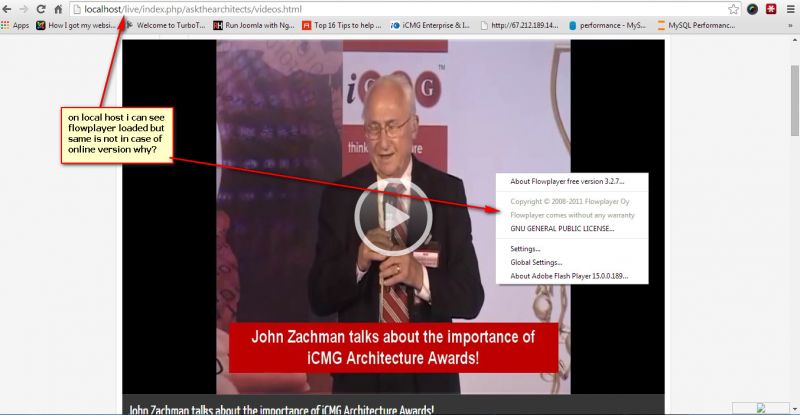
try this file & it works on local if we download but does not play online why?
live.icmgworld.com/images/videos/1587/gjM32xYblpP.mp4
thanks
anand
-
- Dimas Tekad Santosa
- Visitor
- Thank you received: 0
Licenses:
I am not sure, maybe server restriction, I suggest you consult with expert sys-admin for this.. I not familiar with server issue..
anyway I just downloaded your fie mp4 above and I cant be played in my local..
Dimas Tekad Santosa wrote: I am not sure, maybe server restriction, I suggest you consult with expert sys-admin for this.. I not familiar with server issue..
anyway I just downloaded your fie mp4 above and I cant be played in my local..
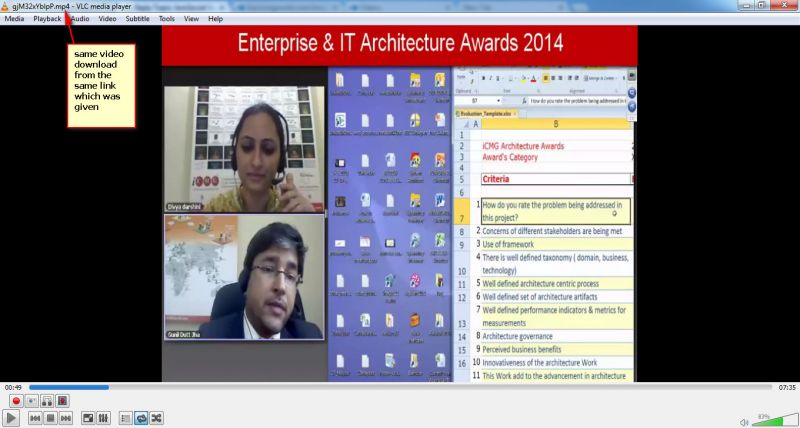
do you have skype or teamviewer . so you can check here on my local system. same file i'm able to play very strange now.
note: im using vlc player to play this videos
thanks
anand
-
- Dimas Tekad Santosa
- Visitor
- Thank you received: 0
Licenses:
Ehm.. I think this is caused by the large file issue..have you contacted your sys-admin? and inspect it? just said the large file can be played in server..
Hello Dimas,
Yes we have verified with them & its dedicated server do you want to check yourself we can provide you login details.
they don't see any problem.
thanks
anand
-
- Dimas Tekad Santosa
- Visitor
- Thank you received: 0
Licenses:
Yes, please provide me your server detail..
-
- Paul
- Visitor
- Thank you received: 0
Licenses:
Hi Anand,
I have had a very detailed look for the last few hours and have looked into the video and codec ID's issued when the file is being encoded by FFMPEG i also found that all your videos play in all browsers but it appears that they are downloading to around 85% before they start buffering (playing in the browser)
I have ran some tests to see if the issue is Jomsocial / FFMPEG / Video and i have found the following:
I uploaded a 6MB test video i use that is an mp4 with a Codec ID of "mp42" after successful conversion the Codec ID will change to "isom" I have used this video on your site for conversion and our own test server and most of the encoding is correct
After successful conversion the video plays correctly through Jomsocial & directly from your server, bypassing Jomsocial and also in all browsers . This eliminates Jomsocial from the issue.
Regarding FFMPEG. Generally FFMPEG is converting the videos and the encoding is correct, there are some differences in bit rates and base versions but your compiled FFMPEG is a later release than our test server. One thing I did notice is that the threads & look ahead threads from the conversion on our sever are threads=48 / lookahead_threads=4 / On your sever it's threads=1 / lookahead_threads=1 / while i don't think this is the entire source of the issue i think it may be a contributing factor
browsers,
This is very relevant to this issue. Google chrome tries to think for us all, and it tries to download nearly all of the file before it starts buffering, The opposite is Youtube they start to buffer so fast that watching a video on a mobile device will constantly stop and shudder. if the file is small and the server / port speed it is served out of it fast, then no one will know. If the file is large then this will show the user a video that is blank and appears to have failed. This is not the case, if you wait for the duration of the video, towards the end it will start to buffer & play.
Firefox and IE seem to be moderate with buffer/download so on a normal file most users don't notice. An example, this video gjM32xYblpP.mp4 will load in google without showing an error but never play. If you open the video in firefox is shows that the video is damaged / faulty. In this case i think the video is damaged and not related to this issue.
Because Jomsocial is working correctly and processing the video, there is really not much more i can do as the issue has been confirmed with or without Jomsocial. My advice to resolve this would be to talk with a server administrator or if you have a managed VPS share this post with them. Have a look on google to see if you can find any solutions to the issue and run some tests with different video's small / large. A good source of information is
ffmpeg.org/
you may want to look into the thread difference and also look at using a decoder tool to look at the output of the encoded video so you can narrow down where the fault is.
I hope this gives you an insight for what to look for. Regarding Jomsocial, from my tests today it is functioning correctly
Hello All,
We have re-uploaded all the videos. Now video's are playing properly in Chrome, not in firefox.
We are getting "No video with supported format and MIME type found" message in firefox. Attached screenshots for reference. Please check and let us know how we can fix this issue as soon as possible.
Firefox -
awesomescreenshot.com/0934207lca
Chrome -
awesomescreenshot.com/0ce42083c8
And if we inspect the element using firebug it's displaying " Your browser does not support the video tag. " message (only in firefox).
thanks,
Anand
-
- Paul
- Visitor
- Thank you received: 0
Licenses:
Hi Anand,
Could you please tell me the URL to the video in this screen shot awesomescreenshot.com/0934207lca
I can then take a look at it
Hi Paul,
Here is the link.
live.icmgworld.com/index.php/askthearchi...up.html?groupid=1314
thanks,
Anand