Support Forum
cron causing error log overload on server
-

Topic Author - Robert Manser
- Offline
- Fresh Boarder
- Posts: 66
- Thank you received: 2
Licenses:
JomSocial Active
ISSUE SUMMARY:
hi guys over servers disc space has been filling up at a rapid rate to to error logs.
my host said to chat to you as this is the offending code.
2016-02-23 16:30:42.315 [NOTICE] [69.73.173.226:40407] [STDERR] PHP Warning: readdir() expects parameter 1 to be resource, boolean given in /home/guide/public_html/components/com_community/libraries/cron.php on line 871
they have put another cron on the clear the reports, but i would like to get it fixed.
STEPS TO REPLICATE:
1
2
3
4
5
RESULT
EXPECTED RESULT
BROWSER
Hi, Robert.
I assign developer to this thread.
- Instead of saying: 'it's not working', explain the problem in detail.
- Screenshots with the URL visible in them and the problem marked are more than welcome.
- Tell us how to replicate the problem, we can't fix it if we can't find it.
- Make sure that your site/server meets JomSocial System Requirements
- Make sure to setup JomSocial Cron Job
- Always provide us with access details to the backend and ftp. We need it to debug problems.
- If you have a similar problem, but a solution you found isn't working, open a new thread instead of 'merging' with an existing one.
- Use the "Thank You" feature on any post that helped you
-
Topic Author - Robert Manser
- Offline
- Fresh Boarder
- Posts: 66
- Thank you received: 2
Licenses:
JomSocial Active
i think i found the error...
there is a misplaced "." before the equals sign on line 871.
can you confirm that is can be removed and wont muck things up - i have trialed it and my error logs have stopped growing - but its only by chance i tried.... so your professional opinion is definately requested.
-
Topic Author - Robert Manser
- Offline
- Fresh Boarder
- Posts: 66
- Thank you received: 2
Licenses:
JomSocial Active
hi there
if i add back in the full stop on that line, and give you access, the sever will go offline because of the error logs again - so unless we can do it live, it probably will cause no end of problems.
i have however now tried to run the cron manually via the url that can do cron and get this error
1064You have an error in your SQL syntax; check the manual that corresponds to your MySQL server version for the right syntax to use near 'WHERE `published` = 0 AND `status` = 'delete'' at line 1 SQL=WHERE `published` = 0 AND `status` = 'delete'
It appears the page you were looking for doesn't exist. Sorry about that.
if you can let me know if this has any way of helping, then i await your response.
-
Topic Author - Robert Manser
- Offline
- Fresh Boarder
- Posts: 66
- Thank you received: 2
Licenses:
JomSocial Active
Hi albertus
the issue i have as mentioned before is if you go in and make one change and cause an error, the erro logs will fill up my entire disc space in a matter of minutes and ALL my sites will go offline.
I have been battling this for days and cannot have it go down again for business reasons.
i removed the period before the first equal on the line 871 in the cron.php file and the errors stopped. however, cron now does not work, and i get the mentioned mysql error when running cron manually.
i dont want to put the period back in as the error logs will rip my server offline in a matter of minutes.
i tested this by changing the cron.php file back and it racked up 2Gb or error logs in just one manual exectution of the cron job.
can oyu advise of any issues or fixes without ftp access as the site cannot go offline due to testing.
Hi,
are you sure not put any custom code at?:
/public_html/components/com_community/libraries/cron.php
here the original file. please replace that file at your site with this one:
Please log in or register to see it.
unzip it first
Regards
This message has an attachment file.
Please log in or register to see it.
-
Topic Author - Robert Manser
- Offline
- Fresh Boarder
- Posts: 66
- Thank you received: 2
Licenses:
JomSocial Active
no - nothing customised.
i am running jomsocial 4.1.4 on the same server on poprepubic and it has no problems.
i am running 4.1.6 on guide and that's causing the errors.
-
Topic Author - Robert Manser
- Offline
- Fresh Boarder
- Posts: 66
- Thank you received: 2
Licenses:
JomSocial Activei just installed the supplied file and it instantly caused 4GB of error logs.
-
Topic Author - Robert Manser
- Offline
- Fresh Boarder
- Posts: 66
- Thank you received: 2
Licenses:
JomSocial Active
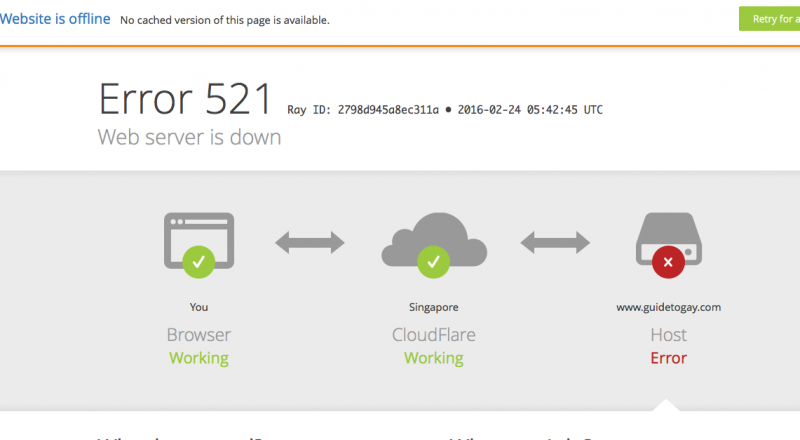
ok, so more issues.... it seems that our event listings pages are now white...
i have checked all the menu assignments and they are fine...
i have updated ticket with mysql and ftp
please be very careful with the cron as it will take the site offline within minutes if errors occour... as the disc at my host fills up.
-
Topic Author - Robert Manser
- Offline
- Fresh Boarder
- Posts: 66
- Thank you received: 2
Licenses:
JomSocial Activei have taken the jomsocial cron off of the cpanel for now just so things will work without going into overdrive. (just so you know)
-
Topic Author - Robert Manser
- Offline
- Fresh Boarder
- Posts: 66
- Thank you received: 2
Licenses:
JomSocial Active
white page was issue with cloudflare.... i have disabled cloudflare and its working.
now i just need the original help with the cron error.