Welcome the Technical Support section. Help us in assisting you by providing us with a concise and descriptive elaboration of your issues. Be specific and if possible, provide us with a step-by-step instruction in replicating your problem.
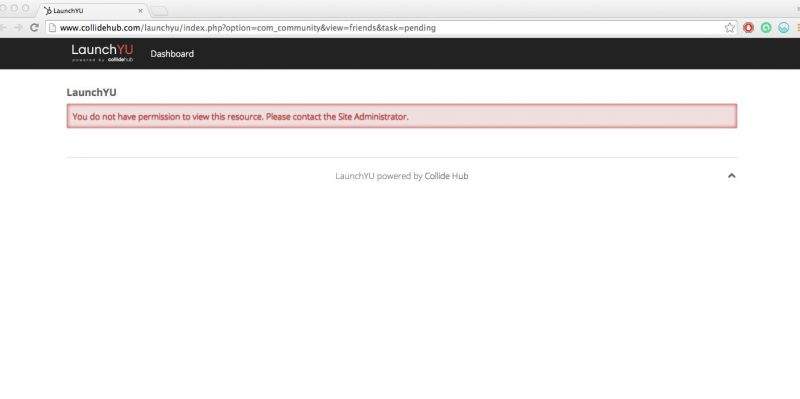
After clicking on email link user is redirected to page that could be displayed ONLY for logged in user. Guest can't view that page as this is part of user inbox. Users need to login first.
So what can you do? You may change this text using Joomla ! language override:http://documentation.jomsocial.com/wiki/Changing_Single_Sentence_or_Word
And add information that one needs to login first.
- Instead of saying: 'it's not working', explain the problem in detail.
- Screenshots with the URL visible in them and the problem marked are more than welcome.
- Tell us how to replicate the problem, we can't fix it if we can't find it.
- Make sure that your site/server meets JomSocial System Requirements
- Make sure to setup JomSocial Cron Job
- Always provide us with access details to the backend and ftp. We need it to debug problems.
- If you have a similar problem, but a solution you found isn't working, open a new thread instead of 'merging' with an existing one.
- Use the "Thank You" feature on any post that helped you
A couple of things to consider to improve the user experience by default
- the verbiage should indicating to login first should be pre-loaded
- ideally it should re-direct to a login/register page -- is this doable? If not, maybe something to keep in mind for future releases
Updated the wording, but still receiving complaints as it's still a poor user experience.
Can you suggest ways to fix it. A few ideas - are these doable:
- include a login/signup widget on the message page
- email notification link to go straight to login page (home page)
- Instead of saying: 'it's not working', explain the problem in detail.
- Screenshots with the URL visible in them and the problem marked are more than welcome.
- Tell us how to replicate the problem, we can't fix it if we can't find it.
- Make sure that your site/server meets JomSocial System Requirements
- Make sure to setup JomSocial Cron Job
- Always provide us with access details to the backend and ftp. We need it to debug problems.
- If you have a similar problem, but a solution you found isn't working, open a new thread instead of 'merging' with an existing one.
- Use the "Thank You" feature on any post that helped you