Notice

The forum is in read only mode.

Support Forum

Welcome! Support Forums have been reactivated
Welcome the Technical Support section. Help us in assisting you by providing us with a concise and descriptive elaboration of your issues. Be specific and if possible, provide us with a step-by-step instruction in replicating your problem.

Drop Downs on JomSocial Toolbar not displaying

11 years 1 week ago
Licenses:
JomSocial Expired

ISSUE SUMMARY:
Upgraded to 4.1.1 on Development Site
Jomsocial Toolbar drop down menus not working
testing Purity III template and Protostar template

STEPS TO REPLICATE:
1 login as user
2 click on jomsocial toolbar any option
3
4
5
RESULT
no drop down menu displayed
EXPECTED RESULT
drop down menu displays correctly
BROWSER

11 years 1 week ago
  • Dimas's Avatar
  • Dimas
  • Visitor
  • Thank you received: 0
Licenses:

Hi,

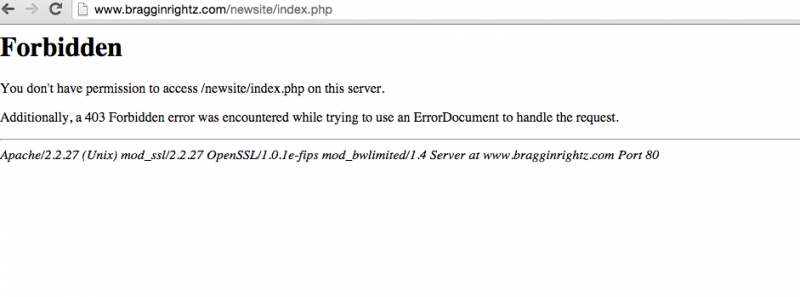
I cant access your newsite, i get forbidden error.. please open the restriction.

thank you

11 years 1 week ago
Licenses:
JomSocial Expired

will do, need an IP address or IP address range to white list

11 years 1 week ago
Licenses:
JomSocial Expired

try now, I just dropped the general protection settings
(we're constantly being attacked)

11 years 1 week ago
Licenses:
JomSocial Expired

also, please make sure you are going to
/newsite/administrator/index.php at the domain

11 years 1 week ago
Licenses:
JomSocial Expired

I added the complete URL including ../newsite/administrator/index.php to the Tech Support Info, please try again and let me know.
Am standing by, 10:22PM EST/EDT
thx

11 years 1 week ago
  • Dimas's Avatar
  • Dimas
  • Visitor
  • Thank you received: 0
Licenses:

this is my IP: 180.253.98.33, I still cant access your site..

11 years 1 week ago
Licenses:
JomSocial Expired

I just whitelisted your IP.

Please verify that your are going to the updated Tech Support info.
Logs show you are not going to the full URL /newsite/administrator/index.php
they show you going to /newsite/administrator
11 years 1 week ago
Licenses:
JomSocial Expired

11 years 1 week ago
  • Dimas's Avatar
  • Dimas
  • Visitor
  • Thank you received: 0
Licenses:

still not working, even I already flushed the DNS

Attachments:
11 years 1 week ago
Licenses:
JomSocial Expired

which browser?
I have tested with Safari, IE and Chrome

Only error I am seeing is favicon.ico file isn't there
let me create that file and see if that fixes it

11 years 1 week ago
Licenses:
JomSocial Expired

also, please check to see if you can get to the main site at www.bragginrightz.com and dev site at www.bragginrightz.com/newsite

I will double check log files, sorry for trouble. never had this problem before
11 years 1 week ago
Licenses:
JomSocial Expired

found the problem...there was a block on 180.0.0.0 in the .htaccess file
apologies

should be ok now
please confirm

11 years 1 week ago
  • Dimas's Avatar
  • Dimas
  • Visitor
  • Thank you received: 0
Licenses:

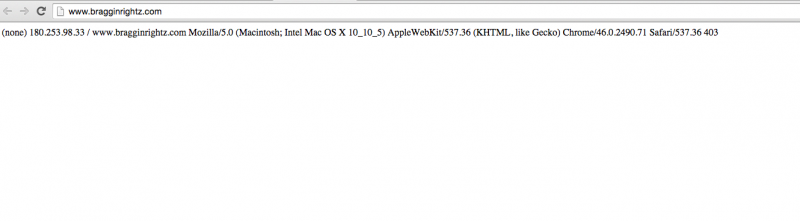
I am using chrome, this is what I get on the main site

Attachments:
Moderators: Piotr Garasiński
Powered by Kunena Forum

Join 180,000 websites creating Amazing communities

JomSocial is the most complete, easy-to-use addon that turns Joomla CMS into a
full -fledged, social networking site

TRY NOW BUY NOW
