Support Forum
Home Icons not directing to home of user.
ISSUE SUMMARY:The home icon on the Socialize menu and jomsocial toolbar are directing to
usportsgo.com/index.php/jomsocial
instead of a user's home page.
STEPS TO REPLICATE:
1 Click on home icon
2
3
4
5
RESULT: 0-error page (attached)
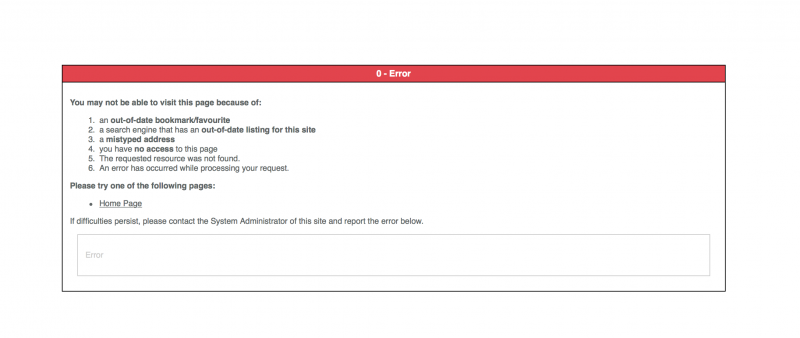
EXPECTED RESULT user's home url
BROWSER: safari, firefox
-

- Dimas
- Visitor
- Thank you received: 0
Licenses:
Hi,
By default it redirect to Jomsocial home page, if you wanna change it you need modify this file modules/mod_community_toolbar/tmpl/default.php, find this code :
<a href="<?php echo CRoute::_( 'index.php?option=com_community&view=frontpage' );?>"><a href="<?php echo CRoute::_( 'index.php' );?>">and to fix error "0-error" you can apply this patch www.jomsocial.com/forum/installation/332...rading-to-4-2#160621
cheers!
Hi,
that "home" logo at jomsocial toolbar always linking to jomsocial frontpage.
do you want changing it to site homepage? please provide me FTP access detail I will do it for you.
for error 0, here the fix:
www.jomsocial.com/forum/installation/332...ing-jomsocial#160818
Regards
Thank you for the suggestions. I am not looking to change the link. I want the home button to go to a user's home page. But it seems as if the home page (front page) does not exist. I published the "Jomsocial" menu button (front page) and I get the same error. usportsgo.com/index.php/jomsocial
-
- Dimas
- Visitor
- Thank you received: 0
Licenses:
to fix error '0-error' you need apply this patch www.jomsocial.com/forum/installation/332...social-upgrad#160631
-
- Dimas
- Visitor
- Thank you received: 0
Licenses:
Hi Brandon,
Thank you for the FTP access, but I also need your backend access.. your backend is not working now.
thank you!
-
- Dimas
- Visitor
- Thank you received: 0
Licenses:
Hi Brandon,
I think your FTP is not correct, the IP is wrong and the password is missing
It is through port 22. I uploaded a private key for you to use. What is the ip that you are connecting from so I can update the firewall? Also is there an email that I can send the key file to?
-
- Dimas
- Visitor
- Thank you received: 0
Licenses:
Please check it should be fine now.. I installed extplorer to fic this, since use your FTP is bit tricky.. you can install extplorer if you want :)
-
- Dimas
- Visitor
- Thank you received: 0
Licenses:
Hi Brandon,
Please check again, it should be fine now..
thank you!