ISSUE SUMMARY:
I installed JomSocial 4, T3 framework, the Socialize 2 template and toolbar as instructed. I assigned the "home" page in the main menu to display JomSocial. However, Jomsocial is not displaying at all on the home page.
STEPS TO REPLICATE:
1 Go To "Main Menu"
2 click on "Home"
3 Under "Details" click "Menu Item Type"
4 Select "Community" then select "Jomsocial Home Page"
5 Save
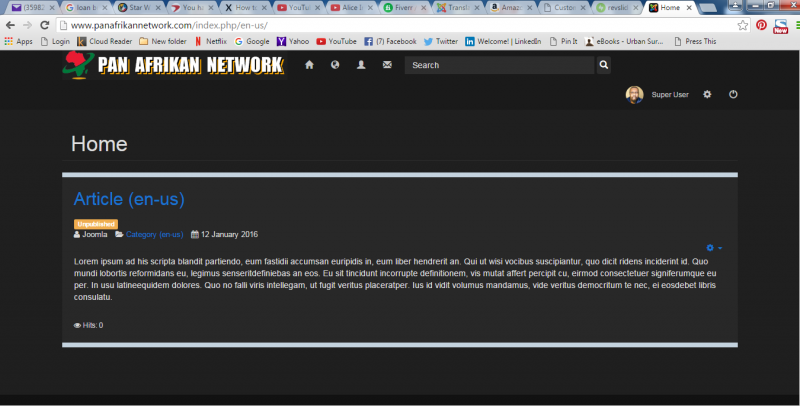
RESULT JomSocial does not display at all (Attachment 1)
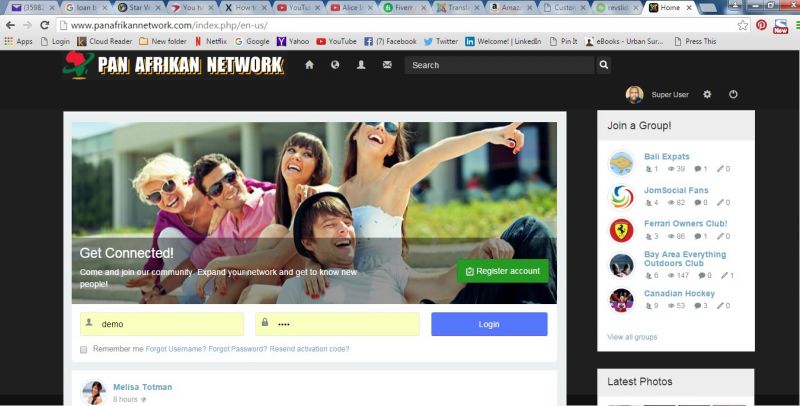
EXPECTED RESULT The Jomsocial activity stream or something similar to the demo (Attachment 2)
BROWSER Chrome, Firefox
Setting JomSocial in multilingual mode with Joomla! native multilingual system is a bit tricky.
- Instead of saying: 'it's not working', explain the problem in detail.
- Screenshots with the URL visible in them and the problem marked are more than welcome.
- Tell us how to replicate the problem, we can't fix it if we can't find it.
- Make sure that your site/server meets JomSocial System Requirements
- Make sure to setup JomSocial Cron Job
- Always provide us with access details to the backend and ftp. We need it to debug problems.
- If you have a similar problem, but a solution you found isn't working, open a new thread instead of 'merging' with an existing one.
- Use the "Thank You" feature on any post that helped you
The following user(s) said Thank You: Ozie Jackson