Support Forum
Welcome! Support Forums have been reactivated
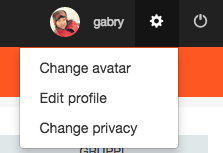
Setup Menu voice add
11 years 7 months ago

11 years 7 months ago
Hi, Brokerad.
Copy:
ROOT/modules/mod_community_toolbar/tmpl/default.php
to:
ROOT/templates/your-template/html/mod_community_toolbar (if you don't have any of those folders, feel free to create them)
Then just add another link wrapped in <li></li> after line 134. You could add as many links you want.
- Instead of saying: 'it's not working', explain the problem in detail.
- Screenshots with the URL visible in them and the problem marked are more than welcome.
- Tell us how to replicate the problem, we can't fix it if we can't find it.
- Make sure that your site/server meets JomSocial System Requirements
- Make sure to setup JomSocial Cron Job
- Always provide us with access details to the backend and ftp. We need it to debug problems.
- If you have a similar problem, but a solution you found isn't working, open a new thread instead of 'merging' with an existing one.
- Use the "Thank You" feature on any post that helped you
The following user(s) said Thank You: ICrew
11 years 7 months ago
11 years 7 months ago
Hi, Brokerad.
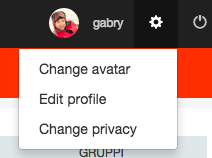
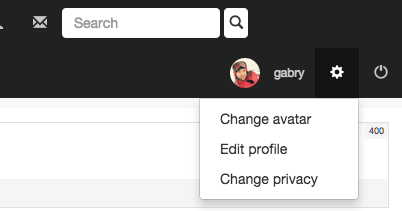
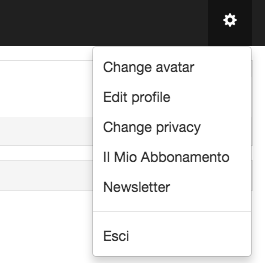
Ah, I missed that. Just add your <li> with link after line 84.
- Instead of saying: 'it's not working', explain the problem in detail.
- Screenshots with the URL visible in them and the problem marked are more than welcome.
- Tell us how to replicate the problem, we can't fix it if we can't find it.
- Make sure that your site/server meets JomSocial System Requirements
- Make sure to setup JomSocial Cron Job
- Always provide us with access details to the backend and ftp. We need it to debug problems.
- If you have a similar problem, but a solution you found isn't working, open a new thread instead of 'merging' with an existing one.
- Use the "Thank You" feature on any post that helped you
Moderators: Piotr Garasiński