Welcome the Technical Support section. Help us in assisting you by providing us with a concise and descriptive elaboration of your issues. Be specific and if possible, provide us with a step-by-step instruction in replicating your problem.
ISSUE SUMMARY:
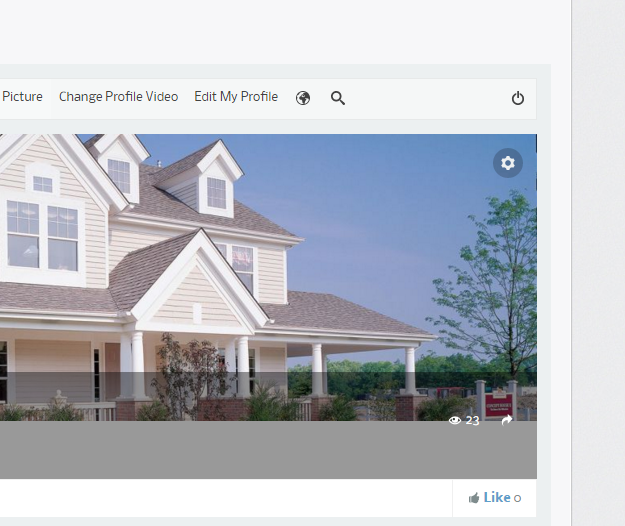
When on your profile page the gear icon that has a menu drop down mal functions differently on various browsers. In Chrome you have to click it a couple of times for it to work, and with Safari it does not work at all. You can see it on the frontend at givingtoextremes.org and log in with username demo and password demo . Please advise
I cant access joomla backend. please try to turn off K2 plugin or changing your template into protostar.
the issue can be from K2 or 3rd party site template.
if you still cant find it. please edit your fist post at this topic, and put credentials information at site info form (private)
I have disabled the k2 plugins and that did not change the issue. I have since turned the k2 plugin enabled. I do not see a place for me to enter the admin info or private info in this reply, please advise. Thanks.
please click edit button at your first post at this topic. you will find site info form there. if still not find it, send it to my email: This email address is being protected from spambots. You need JavaScript enabled to view it.
I have included the login information as requested. The gear icon men on the profile cover is still not working. I have tested with the k2 plugin off and put back on. Also, I used the mac to go to your demo site to see if the problem was there as well and it was not. Please advise