Notice

The forum is in read only mode.

Support Forum

Welcome! Support Forums have been reactivated
Welcome the Technical Support section. Help us in assisting you by providing us with a concise and descriptive elaboration of your issues. Be specific and if possible, provide us with a step-by-step instruction in replicating your problem.

Close button unclear on notification popup

10 years 7 months ago
  • Romulo's Avatar
    Topic Author
  • Romulo
  • Offline
  • Junior Boarder
  • Posts: 214
  • Thank you received: 6
Licenses:
JomSocial Expired Socialize Expired

ISSUE SUMMARY:
Hi there,
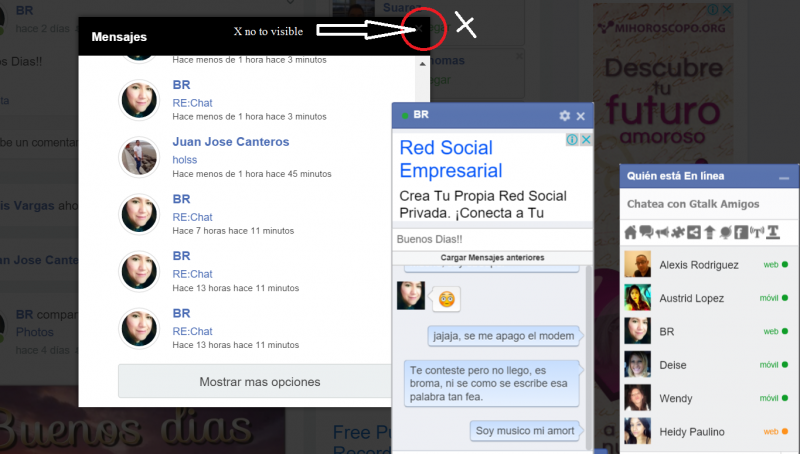
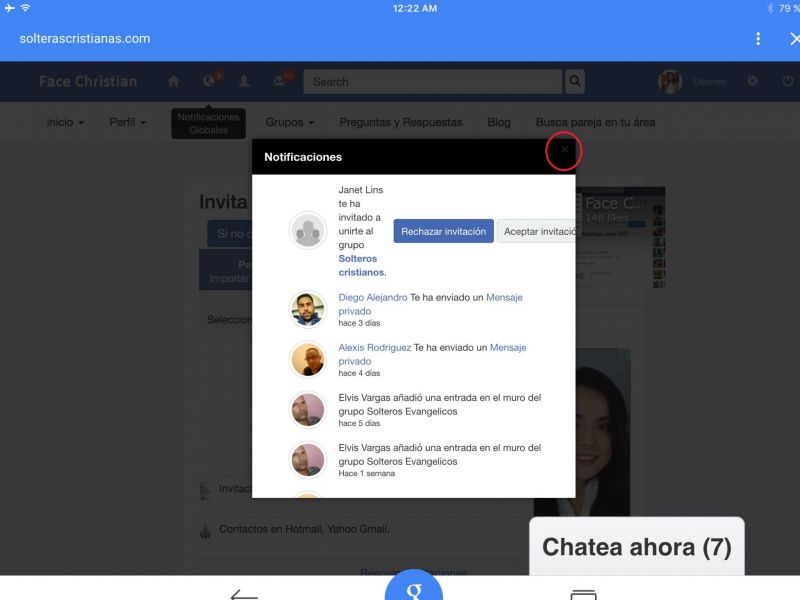
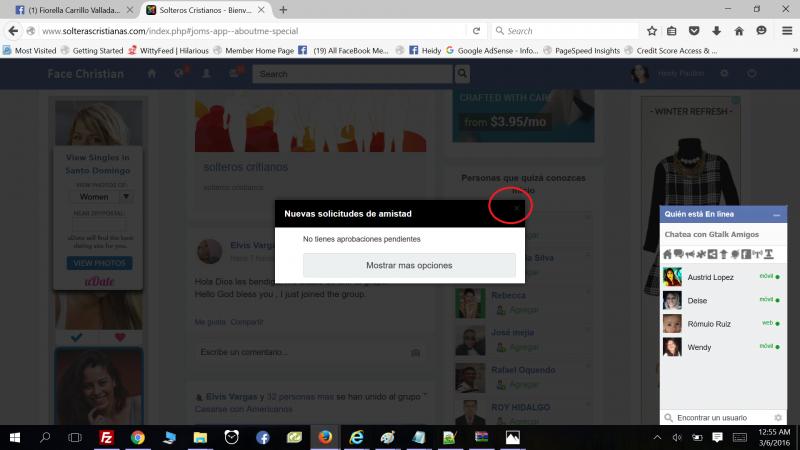
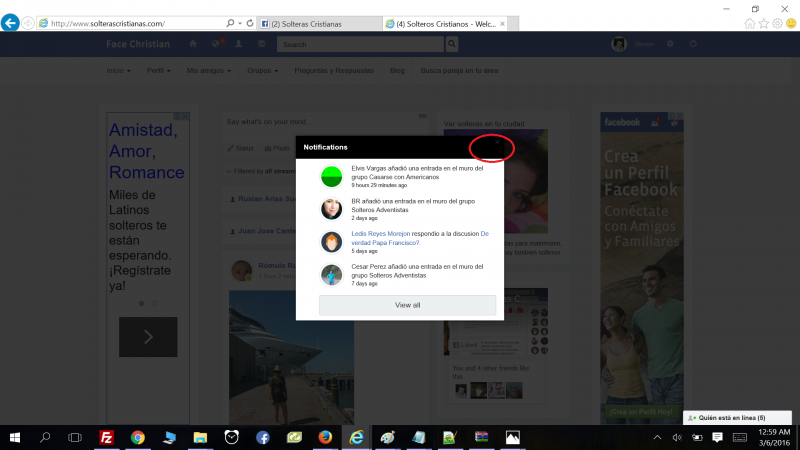
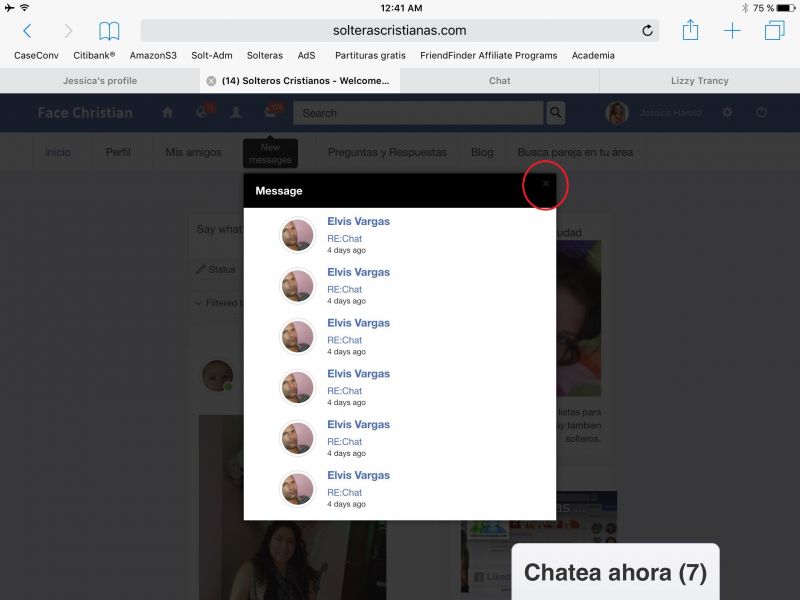
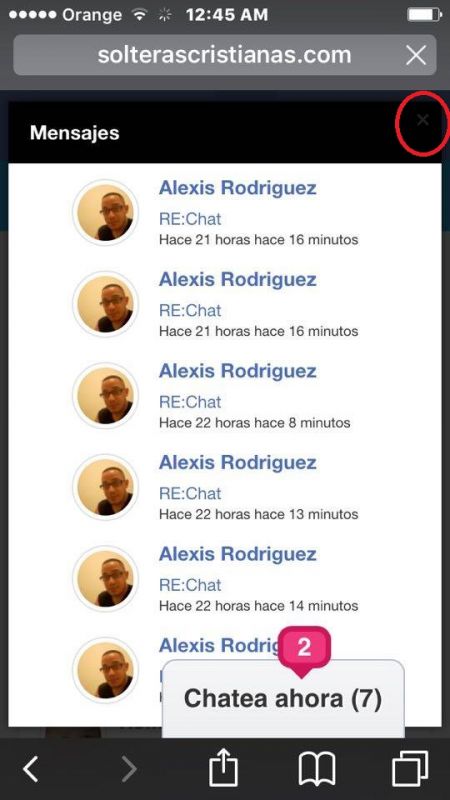
Some users on my site are telling me this issue, when open any notification popup windows, the button to close the popup is not enough clear in order to close it, they can not see the X (close) i know, we know, but end user or non expert user can get confuse in how to close the popup, because it's to dark, and as you know if user can not close the popup, there are nothing to do to go to other page en the site, please check the screenshots.

STEPS TO REPLICATE:
1 open any notificacion, message, request etc.
2
3
4
5
RESULT
The x (close button) it's to dark, sometime no visible, i saw an user from my site using iphone and told me, hey buddy, how can i close this?
EXPECTED RESULT
Put the white color of the x more dark to contrast with the black color of the background
BROWSER
all

10 years 7 months ago
  • Dimas's Avatar
  • Dimas
  • Visitor
  • Thank you received: 0
Licenses:

Hi,

You have conflict css with magnific popup, but i already fix it by adding addional css on socialize custom code.

thank you!

10 years 7 months ago
  • Romulo's Avatar
    Topic Author
  • Romulo
  • Offline
  • Junior Boarder
  • Posts: 214
  • Thank you received: 6
Licenses:
JomSocial Expired Socialize Expired

Thank you very much Dimas.

10 years 7 months ago
  • Romulo's Avatar
    Topic Author
  • Romulo
  • Offline
  • Junior Boarder
  • Posts: 214
  • Thank you received: 6
Licenses:
JomSocial Expired Socialize Expired

Sorry Dimas,
I just trying to test, i remove the code and pasted againg an refresh the page and clear the chache, and now the conflict is back, maybe i removed something from you code, please check.

<style>
@media (max-width: 767px) {
.navbar-brand img {
max-width: 110px !important;
}
}
</style>

10 years 7 months ago
  • Dimas's Avatar
  • Dimas
  • Visitor
  • Thank you received: 0
Licenses:

This is the code :

.mfp-close-btn-in .mfp-close {
    color: #FFFFFF !important;
}

10 years 7 months ago
  • Romulo's Avatar
    Topic Author
  • Romulo
  • Offline
  • Junior Boarder
  • Posts: 214
  • Thank you received: 6
Licenses:
JomSocial Expired Socialize Expired

Hi Dimas,
I put the code but the issue is still there

10 years 7 months ago
  • Dimas's Avatar
  • Dimas
  • Visitor
  • Thank you received: 0
Licenses:

You code was wrong, I already fix it, please check again..

Moderators: Piotr Garasiński
Powered by Kunena Forum

Join 180,000 websites creating Amazing communities

JomSocial is the most complete, easy-to-use addon that turns Joomla CMS into a
full -fledged, social networking site

TRY NOW BUY NOW