Support Forum
Member profile address info, showing on maps and Integration settings

ISSUE SUMMARY:
(The attachments are from our dev site.)
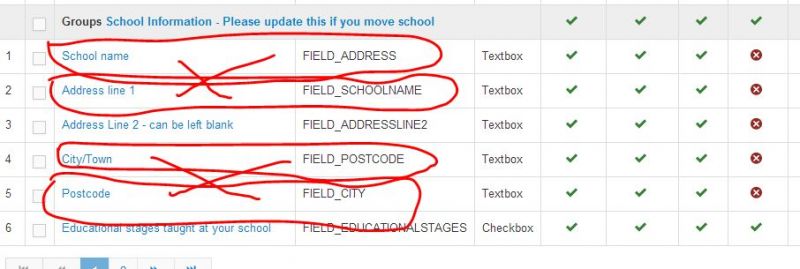
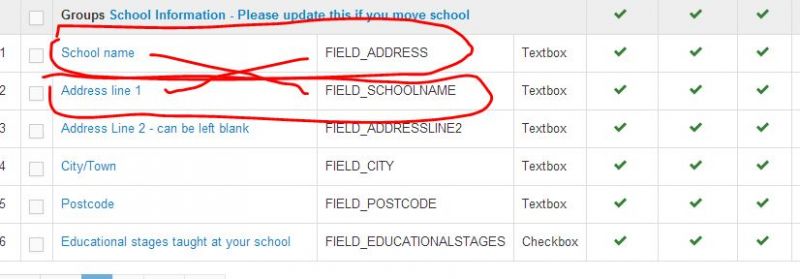
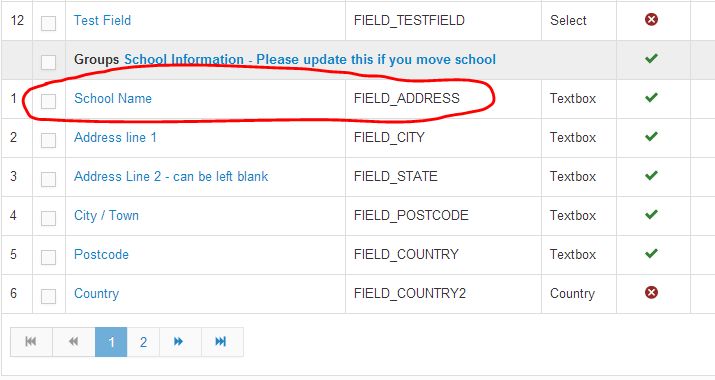
I have a sign up page which asks for School name, address, city/town and postcode. (see attached 1)
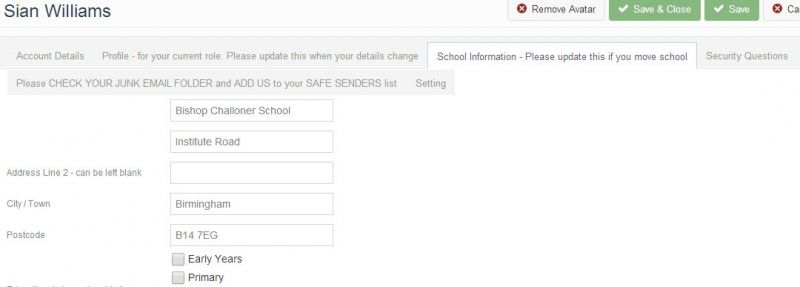
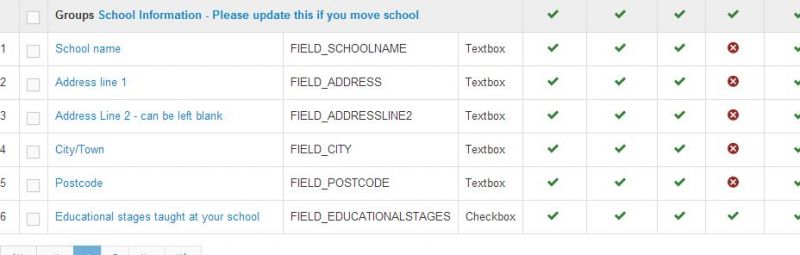
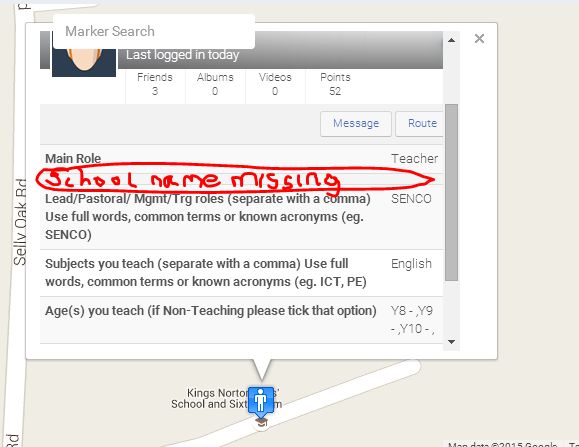
This is seen in the admin member profile (see attached 2)
I have problems with where they appear on my map. It seems the information for the map is only taken from the 'Address Line1' and the 'City/Town'. It's not very accurate. To get the best accuracy I need to put the School name in 'Address Line 1' and the postcode in 'City/Town'. Whilst this might work now, I am worried about problems later if I allocate the wrong information to what the line is called.
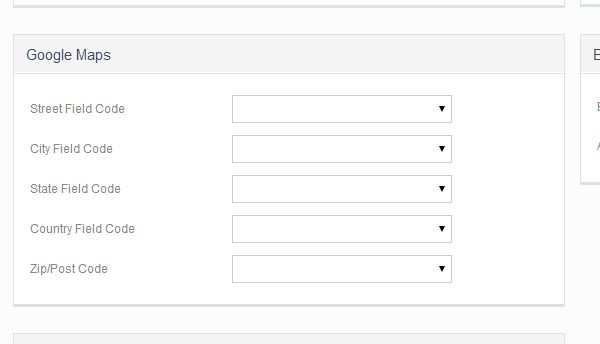
And there is also the Integration for Google maps to take into account (see attached 3) - at the moment this is blank to experiment with what happens when it is blank.
Previously I had to put the field names in fields that weren't correct eg. FIELD_POSTCODE in 'City field code' to get it to work correctly.
But now i have left them blank and I'm not sure what the integration does?
I think I am missing something about the way this should work.
Can you help?
Thanks
Joel
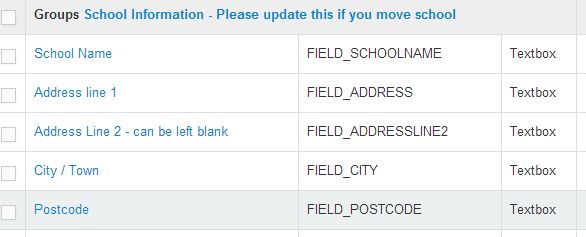
Does this other info help
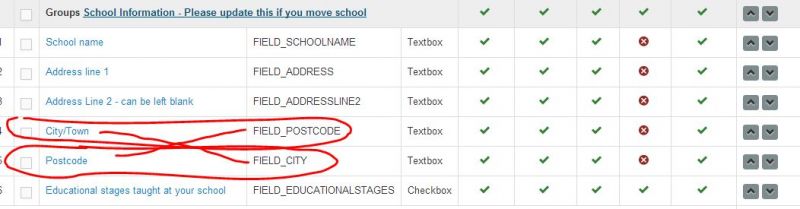
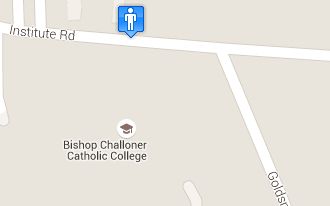
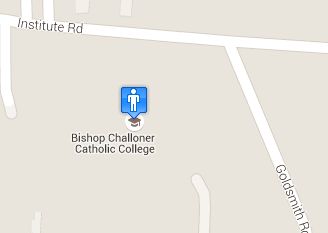
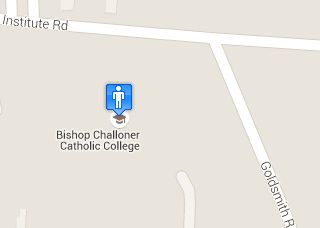
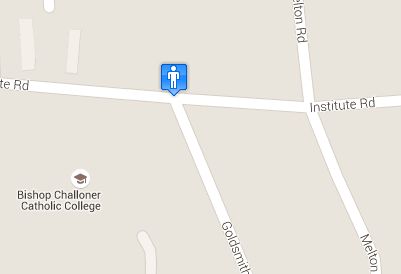
They are attachments of what I changed and the resulting map position.
Basically there seem to be two data entries that govern the map position. They are the Address field and the City field. However, the best thing for me is to use the School name and the postcode in these fields (see below). When I change things around I can get an exact position on the map - but is this going to present a problem as the FIELD_ names are against the wrong named data.
Thanks - sorry, it's difficult to explain
Hi Joel,
please provide me full address for that school location. I need to make some test.
I think I need to provide you custom code regarding that school name.
jomsocial use that google maps integration for retrieving geo-coordinat .
Regards
Hi Albertus,
Just so you know...the address details are usually 'required' for most lines of the address. I turned it off when I was testing so I could see which fields were being used for the map location.
Regarding the google maps integration - I left all the fields blank, then tested them all with different parts in each field and the integration made no difference to where the marker was positioned the map. So i have left them blank. I don't understand how the integration works as it doesn't seem to have any effect.
The school addresses usually only have a school name, one line of address, town/City and Postcode. (see Adminmemberprofile.jpg above - (actually, a joomla bug showed here - you will see that there is no title wording next to the 'School name' and 'Address line 1' This is because jomsocial whites out the wording when an amend is made))
I put in a second line of address as optional in case some schools use it. I think I'll put Country back in as it would be great to go international :-)
(*Required) School Name: Bishop Challoner School
(*Required) Address line 1: Institute Road
(Optional) Address Line 2:
(*Required) Town/City: Birmingham
(*Required) Postcode: B14 7EG
Thanks
Joel
Hi,
please edit that fields, and changing the field code to
School Name = FIELD_ADDRESS
Address = FIELD_CITY
Address2 = FIELD_STATE
City / Town = FIELD_ZIPCODE
Zipcode = FIELD_COUNTRY
country = FIELD_COUNTRY2
and the users still need to edit they profile date to re-calculate geo coordinate.
FYI:
for the address jomsocial hardcoded the field codes to converting the address. please ignore that field codes because not relevant with the field name.
Regards
HI, thank you. Unfortunately, changing this changes what is seen in other user definable windows.
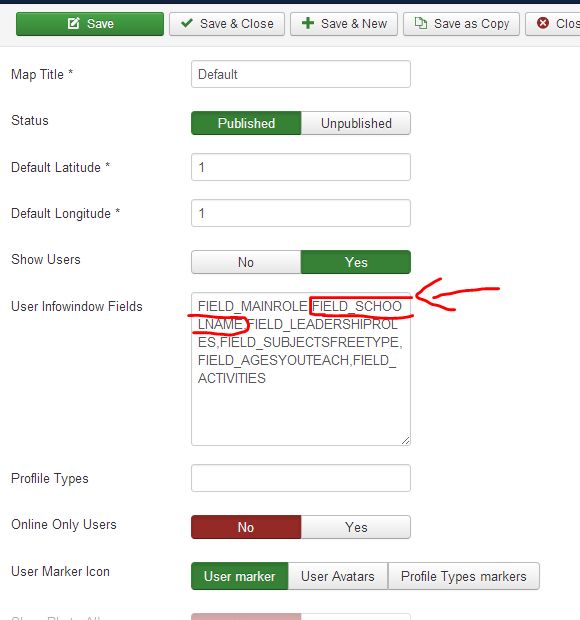
Removing the FIELD_SCHOOLNAME from the list means the info doesn't show on the geommunity map marker.
I am trying to work out a solution, but don't understand why FIELD_ADDRESS needs to be in the School name for it to locate exactly on the Google marker.
Anyway, am trying to work out a solution.
Hi
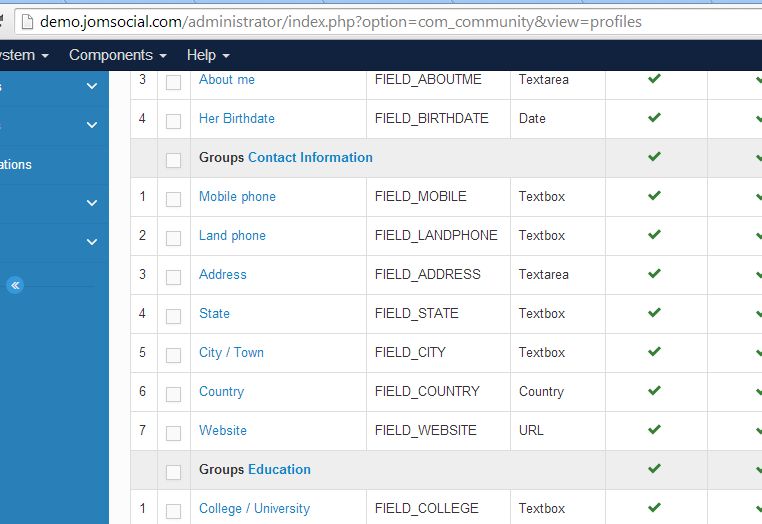
Can you please tell me the all the hard coded fields you use for the address information.
Are there more than those seen on the demo Jomsocial site? (see attached)
Because I am using the field for 'School name' for info elsewhere I am wary of mixing up the fields with their names I have given.
Thanks
Hi,
please have a look at:
[joomla site root]/administrator/components/com_community/default.ini at line 246
user_address_fields=FIELD_ADDRESS,FIELD_CITY,FIELD_STATE,FIELD_ZIPCODE,FIELD_COUNTRYhere some solution for geommunity map marker:
changing FIELD_SCHOOLNAME at user infowindow field to FIELD_ADDRESS
or
changing back:
School Name = FIELD_SCHOOLNAME
Address = FIELD_ADDRESS
Address2 = FIELD_ADDRESSLINE2
City / Town = FIELD_CITY
Zipcode = FIELD_POSTCODE
country = FIELD_COUNTRY
and changing the code to:
user_address_fields=FIELD_SCHOOLNAME,FIELD_ADDRESS,FIELD_ADDRESSLINE2,FIELD_CITY,FIELD_ZIPCODE,FIELD_COUNTRYFYI: this code changes must re-apply after every upgrade process
Regards