Support Forum
Windows tablet display issues
ISSUE SUMMARY:
1. I have Jomsocial Pro, but when I go to Jomsocial ThemeDesigner I do not see anything other than a drop down box on the Groups and Events page. This is the case on 2 separate installs - the one on my test site and on the live replica site.
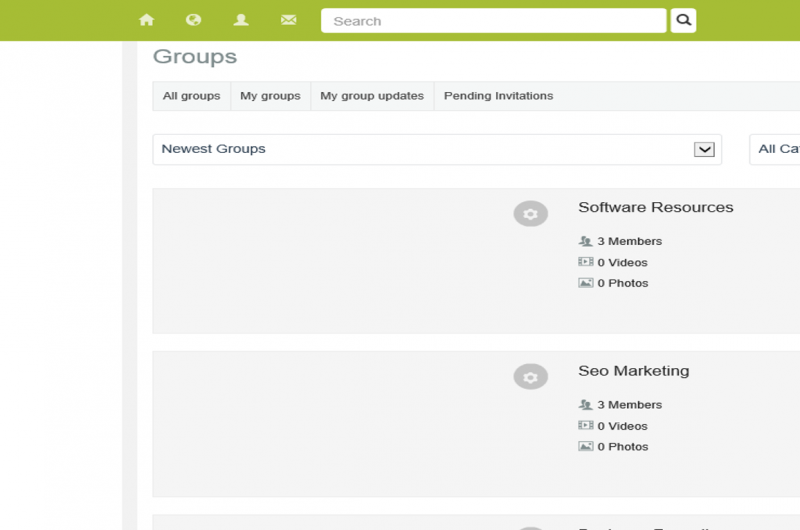
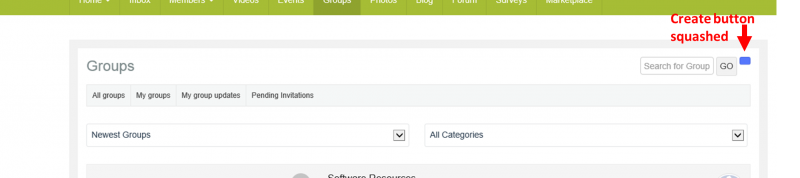
2. Additionally, on my windows RT tablet, the group and event default cover photos do not display (they display and work OK on a regular PC with Google Chrome - for example a user can see the default image and also click on it to view the group or event), On the windows RT tablet a user can neither see the image, and when they click in the area where the image should be nothing happens. Additionally, some of the buttons are not displaying correctly i.e. in the Groups component, the blue Create Group is hardly visible and can easily overlooked - its just a tiny blue square.
STEPS TO REPLICATE:
1 For issue 1. Log in to administrator area - Theme Designer and go to either Groups or Events - there are no options to change cover photos etc.
2 For issue 2 you need a Windows RT Tablet. Go to Groups or Events - there are no cover photos, nor can you open a particular group or event by clicking in the area where the photo should be as nothing happens. In the top right look for the Create Group button, it is barely visible.
RESULT
Issue 2 - cannot do anything in the Groups or Events of ThemeDesigner including changing default covers
EXPECTED RESULT
Ability to change default covers as we can in the Profile area of theme designer
BROWSER
Google Chrome and IE both latest versions, also Windows RT latest IE browser
-

- Dimas
- Visitor
- Thank you received: 0
Licenses:
Hi Melanie,
#1 your backend access is not working please you check again, this is what I get "Warning Username and password do not match or you do not have an account yet."
#2 Would you mind provide me the screenshoot please?
thank you
Hi Dimas,
Are you trying to log in to the correct url? You need to use the details for the test site (lets me in fine). If you are still having problems please let me know.
Please see attached screen shots for windows tablet views.
With the backend issues you will just see blank screens.
Kind regards
Mel
-
- Dimas
- Visitor
- Thank you received: 0
Licenses:
Hi,
#1 I see, the default cover setting only availbale for profile cover right now.. cover group and event are not availble yet
#2 this is will be fixed in version 4.0.2, and this is the patch
www.jomsocial.com/forum/groups/24892-int...te-new-groups#122402
thank you
Hi Dimas,
Thanks, that fix has worked on the create group and create event buttons, however i still cant get the group or event covers (either the default or those added by users) to display on my tablet. How do I correct this?
Mel
Hi Dimas
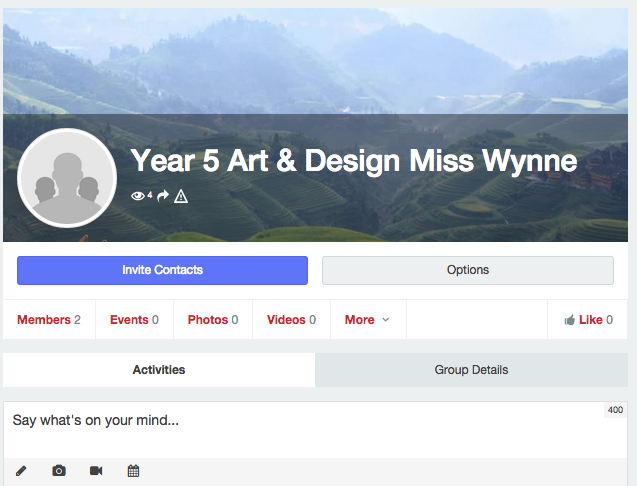
It is not the image when you open the group or event page that you are showing above, its the view before that where you display all groups or my groups etc. If you look at the screenshot I already sent you can see how it looks there. There is no image for the groups (same applies to events). On other PCs and smart phones the image is there as expected, and I cam even click on the image to open the group.or event.
This worked fine on earlier versions of JS.
Does that make more sense?
Kind regards
Mel
-
- Dimas
- Visitor
- Thank you received: 0
Licenses:
I see, this is a bug.. thank you
-
- Dimas
- Visitor
- Thank you received: 0
Licenses:
Hi Mel,
I will provide you the patch once the dev fix this.
thank you
-
- Dimas
- Visitor
- Thank you received: 0
Licenses:
Hi Mel,
I suggest you wait the fix on next package, since the patch is not simple, will be effected to another function.
thank you