Welcome the Technical Support section. Help us in assisting you by providing us with a concise and descriptive elaboration of your issues. Be specific and if possible, provide us with a step-by-step instruction in replicating your problem.
Hello,
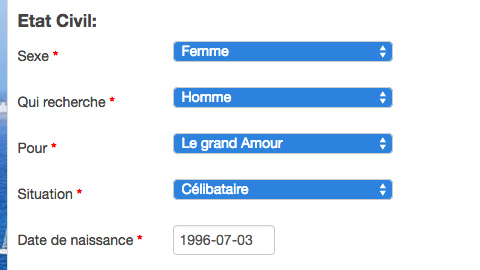
on the user edit profile page, with the gender or multiple select field, when user wants to select a value, he clicks on the drop down arrow, the selected value is displayed on a blue background color.
We can find out, we suppose, in the style.css, where can we change this color ?
Cheers,
L
Hello,
In fact we want to be able to change the background color of the selected value in a gender field or in a multiple select field.
Let's take an example:
On the edit profile page of a user if he wants to modify his gender, he clicks on the drop down arrow of the gender field, the value are displayed in order to be selected. The selected value is displayed with on a blue background color, by default.
Is it clear enough ?
So is it possible to change this background color ?
See attached file.
Cheers,
L
unfortunately not.
From your screenshoot, let's choose field "Situation" if you click on it you have several values "Célibataire", "Divorcé". Then if you pass the mouse on one of these, the background color becomes blue, i believe you call this change color on hover. That's this background color we want to change.
Is it clearer ?
Cheers,
L
I see, I am sorry i cant help you further.. this is impossible because dropdown list (after click the select button) will follow the browser itself, it will work for some browser and wont work for another browser.. I am sorry i cant help you too much.