Notice

The forum is in read only mode.

Support Forum

Welcome! Support Forums have been reactivated
Welcome the Technical Support section. Help us in assisting you by providing us with a concise and descriptive elaboration of your issues. Be specific and if possible, provide us with a step-by-step instruction in replicating your problem.

Video not posting to stream but is visible from backend

10 years 5 months ago
  • Matt's Avatar
    Topic Author
  • Matt
  • Offline
  • Fresh Boarder
  • Posts: 25
  • Thank you received: 0
Licenses:
JomSocial Active

ISSUE SUMMARY:

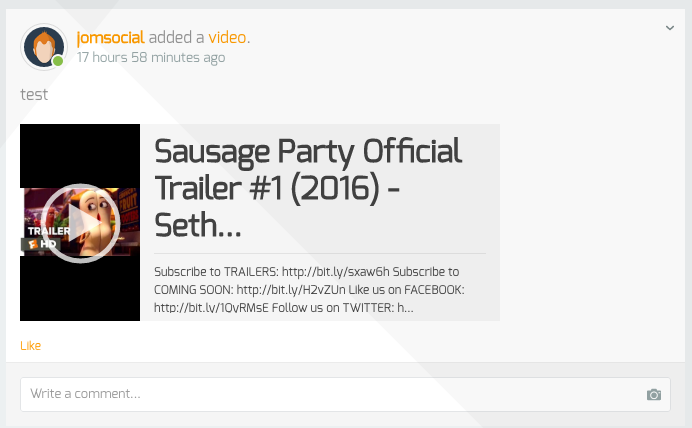
I use Zencoder and Amazon to host the encoded videos. If I upload a video, it successfully get converted, but the video isn't posted to the activity stream and doesn't show under "videos". It can be seen on the backend and successfully plays if launched from there, but there is no thumbnail. YouTube videos work as expected.

STEPS TO REPLICATE:
1 - Use Zencoder / Amazon
2 - Upload video file

RESULT - Video isn't viewable anywhere on the frontend, there is no notification to say it's converted, doesn't appear under "my videos".
EXPECTED RESULT - Video would be viewable in stream, would be listed under my /all videos and would have a thumbnail.

10 years 5 months ago
  • Dimas's Avatar
  • Dimas
  • Visitor
  • Thank you received: 0
Licenses:

Hi,

Seems the cron is not running yet, I see on your stream the upload video is there


thank you!

Attachments:
10 years 5 months ago
  • Matt's Avatar
    Topic Author
  • Matt
  • Offline
  • Fresh Boarder
  • Posts: 25
  • Thank you received: 0
Licenses:
JomSocial Active

That's the YouTube video. The uploaded video isn't there.

10 years 4 months ago
  • Dimas's Avatar
  • Dimas
  • Visitor
  • Thank you received: 0
Licenses:

Hi Matt,

Have you enable php library cURL and fsockopen? and then I need your phpmyadmin access to inspect this issue further.

thank you

10 years 4 months ago
  • Matt's Avatar
    Topic Author
  • Matt
  • Offline
  • Fresh Boarder
  • Posts: 25
  • Thank you received: 0
Licenses:
JomSocial Active

I can confirm that cURL and fsockopen are both enabled. S3 / Zencoder were working fine before the update to 4.2.1

Is there anyway I can give you access to phpmyadmin without having to give you the main username and password to my hosting account? i.e. setup a copy of it as though it were a php install just like joomla or phpbb ?

10 years 4 months ago
  • Dimas's Avatar
  • Dimas
  • Visitor
  • Thank you received: 0
Licenses:

Hi Matt,

Please you open this file /components/com_community/libraries/videos.php, find this code :

$s3outputBaseUrl = 's3.'.$s3Region.'://' . $s3BucketPath;
replace to :
$s3outputBaseUrl = 's3'.$s3Region.'://' . $s3BucketPath;

I hope it will fix this

10 years 4 months ago
  • Matt's Avatar
    Topic Author
  • Matt
  • Offline
  • Fresh Boarder
  • Posts: 25
  • Thank you received: 0
Licenses:
JomSocial Active

Thanks for that, it's now working correctly again.

Moderators: Piotr Garasiński
Powered by Kunena Forum

Join 180,000 websites creating Amazing communities

JomSocial is the most complete, easy-to-use addon that turns Joomla CMS into a
full -fledged, social networking site

TRY NOW BUY NOW