Notice

The forum is in read only mode.

Support Forum

Welcome! Support Forums have been reactivated
Welcome the Technical Support section. Help us in assisting you by providing us with a concise and descriptive elaboration of your issues. Be specific and if possible, provide us with a step-by-step instruction in replicating your problem.

can't upload video avi

10 years 8 months ago
  • Saovry's Avatar
    Topic Author
  • Saovry
  • Offline
  • Fresh Boarder
  • Posts: 83
  • Thank you received: 9
Licenses:
JomSocial Expired iSEO Expired Socialize Expired

ISSUE SUMMARY:
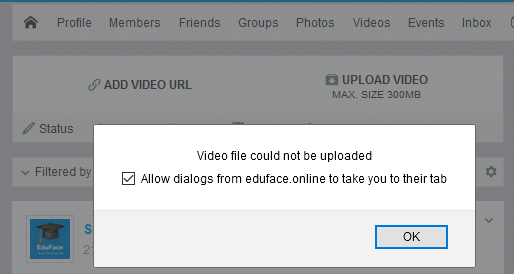
I can't upload video file avi and other files too.

STEPS TO REPLICATE:
1 upload video
2
3
4
5
RESULT


EXPECTED RESULT
BROWSER

Attachments:
10 years 8 months ago
Licenses:

Hi Saovry,

could you please edit your post and provide me valid super admin access detail?
this issue can be from "incorrect" configuration at joomla side.

please try have a look at joomla backend > media > content > options

Regards

10 years 8 months ago
  • Saovry's Avatar
    Topic Author
  • Saovry
  • Offline
  • Fresh Boarder
  • Posts: 83
  • Thank you received: 9
Licenses:
JomSocial Expired iSEO Expired Socialize Expired

I edit already and provided to you about correct username and password.

Could you config allow webm, mkv, flv, vob, ogv, ogg, avi, drc, wmv, mpg, mp4, DRM, m4p, mp2, mpeg, m2v, mpeg, 3gp, and other video files can upload

thank...

10 years 8 months ago
Licenses:

Hi,

strange. seem there is an issue with server or folder permission. could you please provide me FTP access detail?
I need it for debugging purpose.

Regards

10 years 8 months ago
  • Saovry's Avatar
    Topic Author
  • Saovry
  • Offline
  • Fresh Boarder
  • Posts: 83
  • Thank you received: 9
Licenses:
JomSocial Expired iSEO Expired Socialize Expired

I updated my misc information at my first post already so you can see my ftp and control panel log in in there...

thank

10 years 8 months ago
Licenses:

Hi,

the issue with server permission.

by default, all created folders will having folder permission as 755. that mean all folders only write-able by owner only.
so that folder user and group must same as apache user and group

as you can see sub folders under:
/var/www/html/images/originalvideos
having 755 permission and root/root as user/group

file upload failed because apache seem not running as root. or you need to changing default folder user and group into www-data
not sure about this, you need to asking your server support about it.

for temporary fix I set 777 to all sub folders under originalvideos, that no safe.

please coordinate with server support about it.

Regards

10 years 8 months ago
  • Saovry's Avatar
    Topic Author
  • Saovry
  • Offline
  • Fresh Boarder
  • Posts: 83
  • Thank you received: 9
Licenses:
JomSocial Expired iSEO Expired Socialize Expired

Because I use an unmanaged server so my server support can't do any thing for me. It is depend on us...
Before the folder permission is 755 when I go to System-->System Information--->Folder Permission and my folder Unwritable like below
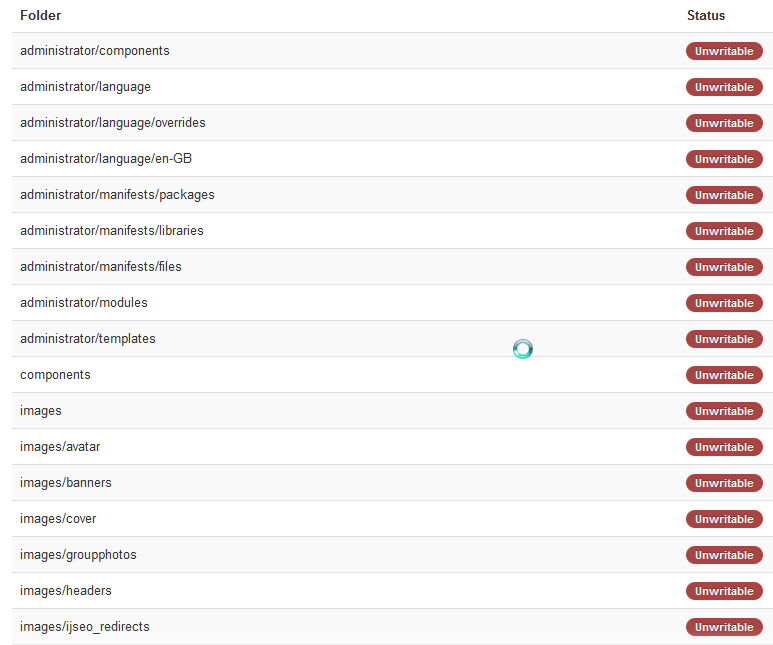

after i changed it to 777 so the folder can writable.
Please help me?

Attachments:
10 years 8 months ago
Licenses:

Hi,

Do you about Linux administration before using VPS?
the folders and files under /var/www/ must having www-data group not Root.
if Root, your folders will unwritable.

here the doc about how to put www-data under site web root.
serverfault.com/questions/6895/whats-the...user-www-data-in-var

maybe you can googling for other tutorial.

I will not touching your server, because this is jomsocial support, not server support.

Regards

10 years 8 months ago
  • Saovry's Avatar
    Topic Author
  • Saovry
  • Offline
  • Fresh Boarder
  • Posts: 83
  • Thank you received: 9
Licenses:
JomSocial Expired iSEO Expired Socialize Expired

I use linux with centos and it is VPS.
My site root is /var/www/html
If I follow your doc, it will help me to fix it

10 years 8 months ago
Licenses:

Hi,

that doc suitable for ubuntu. but not 100% with centos. centos server "more annoying" because have many restrictions for security reasons.
mostly that some one not having deep experience with linux administration will not using centos.

based on my experience, every VPS provider always having technical support. but you need to pay them based on hour rate.
maybe you can ask them about that.

Regards

10 years 8 months ago
  • Saovry's Avatar
    Topic Author
  • Saovry
  • Offline
  • Fresh Boarder
  • Posts: 83
  • Thank you received: 9
Licenses:
JomSocial Expired iSEO Expired Socialize Expired

I follow this doc support.rackspace.com/how-to/how-to-add-...nt-root-permissions/
Now my folder can write...
Could you test to upload one video if some thing still wrong or not?

10 years 8 months ago
Licenses:

Hi,

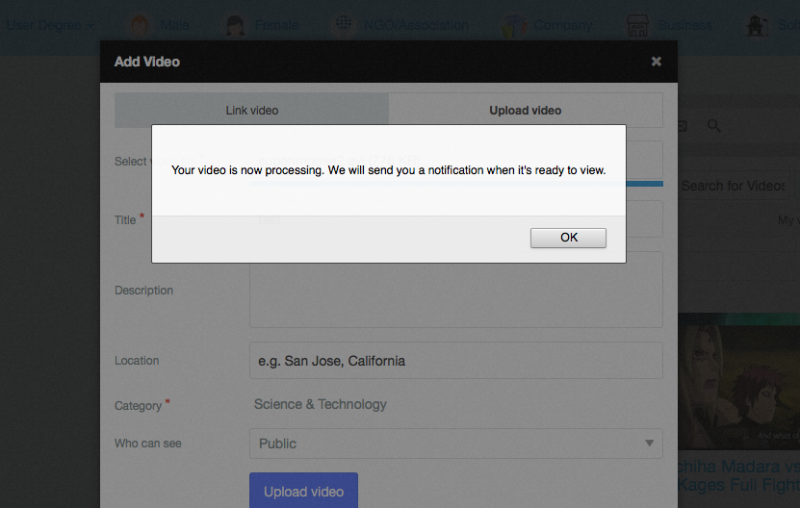
video uploaded:


but converting still cannot. seem FFMPEG not installed yet or the version super old.
please upgrade it to latest version:
ffmpeg.org/

if still cant. please open new topic for that.

Regards
Attachments:
10 years 8 months ago
  • Saovry's Avatar
    Topic Author
  • Saovry
  • Offline
  • Fresh Boarder
  • Posts: 83
  • Thank you received: 9
Licenses:
JomSocial Expired iSEO Expired Socialize Expired

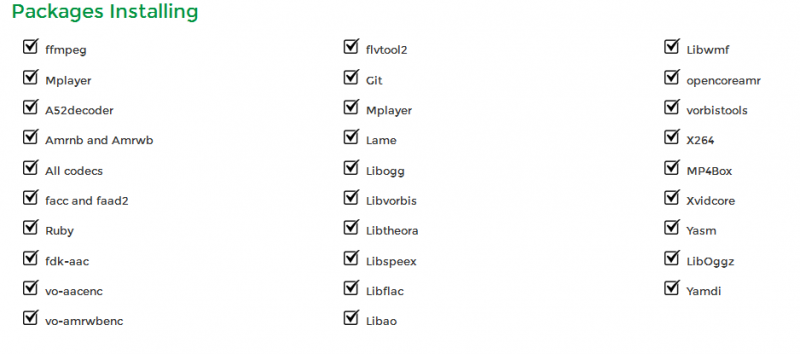
To install FFmpeg, do I need to install all the package or I just install Flvtool2 and FFMPEG?

Attachments:
10 years 8 months ago
Licenses:

Hi,

better all. because we dont know what needs in future.

Regards

Moderators: Piotr Garasiński
Powered by Kunena Forum

Join 180,000 websites creating Amazing communities

JomSocial is the most complete, easy-to-use addon that turns Joomla CMS into a
full -fledged, social networking site

TRY NOW BUY NOW