Notice

The forum is in read only mode.

Support Forum

Welcome! Support Forums have been reactivated
Welcome the Technical Support section. Help us in assisting you by providing us with a concise and descriptive elaboration of your issues. Be specific and if possible, provide us with a step-by-step instruction in replicating your problem.

Photos Tollbar not available on tablets as it's viewable only on hover

11 years 1 week ago
  • John's Avatar
    Topic Author
  • John
  • Offline
  • Fresh Boarder
  • Thank you received: 0
Licenses:
JomSocial Expired Socialize Expired

ISSUE SUMMARY: When you open a photo it shows in the photo viewer which is as expected, if you hover over the photo display you get the menu to ,view album, tag etc but the problem when viewing on a tablet is that there is no hover for tablets so you cannot get to this menu. It needs a touch code in so if it's a tablet and you touch the photo area the menu stays visible for you to choose an option. Or the best solution would be to have this menu show all the time under the photo section then no troubles for anyone.


STEPS TO REPLICATE:
1 Go to a photo and open it
2 Move over the photo and the menu appears
3 Now do the same on a tablet
4 You will see you cannot reach this menu
5
RESULT
EXPECTED RESULT
BROWSER

Attachments:
11 years 1 week ago
  • Dimas's Avatar
  • Dimas
  • Visitor
  • Thank you received: 0
Licenses:

Hi John,

You right, that part is hard to be showing on mobile/tablet device.. I will report this..
for time being you can change the method open photo to "same window", edit it on Photo setting from backend

cheers!

11 years 1 week ago
Licenses:
JomSocial Active GURU Active Publisher Active AdAgency Active iSEO Active Socialize Active

Hi John

can you please advise what is the device you are testing this with

Here's how it looks on the iPhone


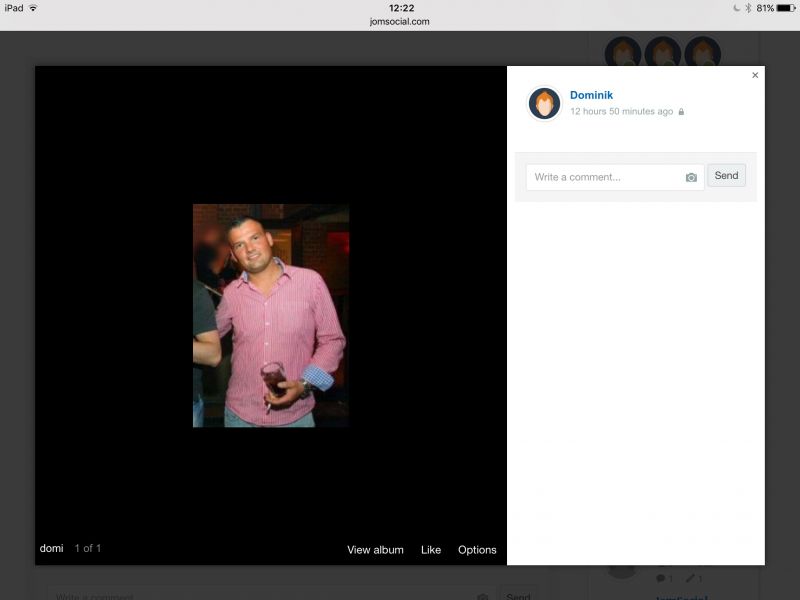
This is iPad in panorama orientation


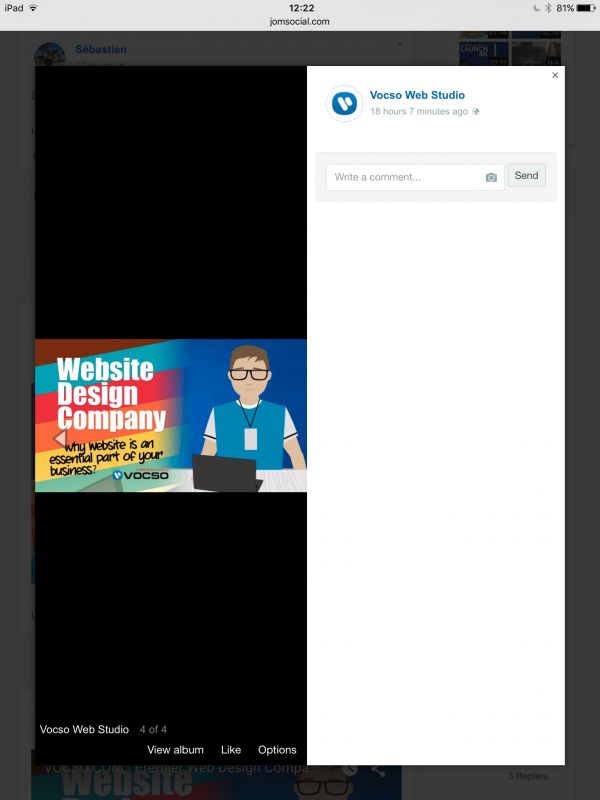
And finaly, iPad in portrait orientation


- Don't say feature not working. Instead, explain what you tried and what was the outcome.
- When you think you found the bug, try to replicate it on a fresh Joomla.
- When looking for support always provide temporary Super Administrative access to your site. We will ask for it anyway.
- Help yourself and read documentation which can give you answers to almost all questions you may have
Attachments:
11 years 6 days ago
  • John's Avatar
    Topic Author
  • John
  • Offline
  • Fresh Boarder
  • Thank you received: 0
Licenses:
JomSocial Expired Socialize Expired

Hi Sinisa, yes the device viewing on is a Microsoft Surface 2 tablet. Everything else shows up fine except the toolbar along the bottom.

11 years 4 days ago
  • John's Avatar
    Topic Author
  • John
  • Offline
  • Fresh Boarder
  • Thank you received: 0
Licenses:
JomSocial Expired Socialize Expired

Dimas I had a thought that I might be able to change the CSS from display none to display:block!important so it's always visible no matter what it's on. I went to the CSS and made the change but did not seem to take effect. I removed the line for display none then added mine underneath like this
.joms-popup__option { display:block!important }

Can you advise how better to do this or why that would not take effect, thanks.

I have since put it back how it was as the default and would be interested in your reply.

11 years 1 day ago
  • Dimas's Avatar
  • Dimas
  • Visitor
  • Thank you received: 0
Licenses:

For time being you can add this code on your css file,

.joms-popup__option { display:block !important }

and wait our solution in the future.. seems this issue only happens on surface..

thank you

Moderators: Piotr Garasiński
Powered by Kunena Forum

Join 180,000 websites creating Amazing communities

JomSocial is the most complete, easy-to-use addon that turns Joomla CMS into a
full -fledged, social networking site

TRY NOW BUY NOW