Support Forum
Photos can not be placed within album

ISSUE SUMMARY: After creating an album in this attempt to place photographs, however this is not possible. 0 images has been published in the album ...
STEPS TO REPLICATE:
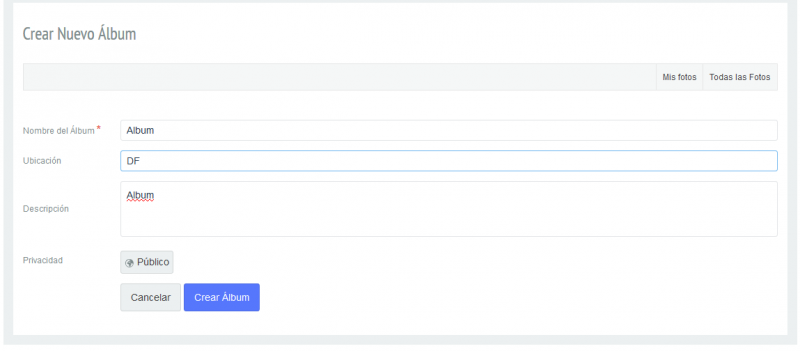
1 Create album
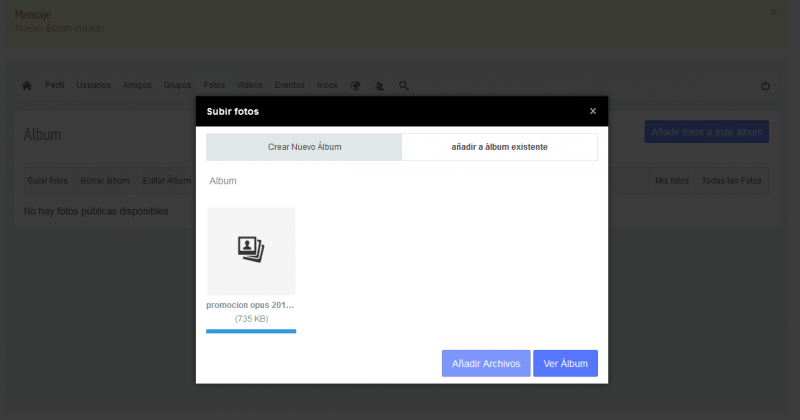
2 Attempting to upload a photo in the album.
RESULT The image is not placed into the album, or outside it, no error message is displayed.
EXPECTED RESULT Place an image in the selected album.
BROWSER Firefox
Hi Francisco,
I need to access level as super user. jomsocial user only as administrator, so I cant access joomla global configuration.
the issue can be server or misconfiguration at joomla config. but I need super user first.
Regards
hosting answer
Hola,
La característica de open_basedir no se puede deshabilitar ya que es una medida de seguridad muy importante.
Impide que el proceso de usuario PHP pueda a acceder a carpetas que no le corresponden, por defecto esta solo limitado a la carpeta del usuario.
No debería ser un impedimento el tener open_basedir funcionando para el funcionamiento de su componente.
Cualquier duda por favor consúltenos.
---
Un saludo,
Equipo técnico
Hi Francisco,
I cant access administrator login page anymore. please put the folders at open_basedir
[joomla site root]/images/
[joomla site root]/tmp/
please replace [joomla site root] with joomla site root folder. you can find it at joomla global configuration.
Regards
the solution generates me give me problems in other extensions installed, so what I seek is not feasible. Please tell me a solution that does not involve moving directories default routes.
I previously used a variety of free and paid extensions and this is the first time you ask me to do something like what they describe to solve my problem.
Hello, this is the answer of the support area of the company that provides us the hosting service.
Hola,
Por motivos de seguridad no podemos configurar su cuenta de modo que tenga acceso a cualquier ubicación del servidor.
Le proporcionamos el listado de carpetas donde su cuenta tiene permitido el acceso para leer y escribir. Cualquier operación que haga el plugin debe realizarse sobre una de estas carpetas:
open_basedir = /home/tecnogro:/usr/lib/php:/usr/local/lib/php:/tmp
Si tiene cualquier consulta contacte de nuevo con nosotros.
Un saludo,
Equipo técnico
Hi,
I found the problem, please turn off:
sh404sef - System plugin
sh404sef - System mobile template switcher
that plugins make some jomsocial scripts not working. not sure how to configure that plugins. you can asking sh404sef for more support.
Regards