The forum is in read only mode.
ISSUE SUMMARY: After uploading photos the photos are not displayed in normal alphabetical order STEPS TO REPLICATE: 1 open one of the albums 2 3 4 5 RESULT EXPECTED RESULT BROWSER
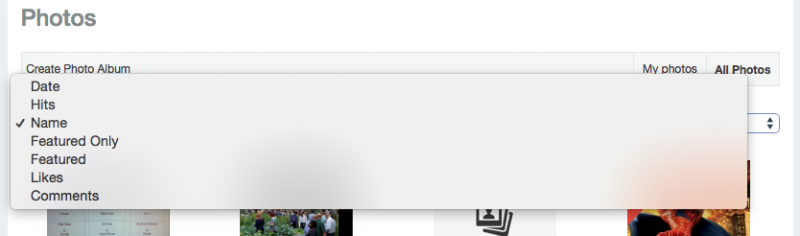
Hi Frank, This is default default behavior, the photos are ordering by the newest update. But you can see on album page, you can filter the photo from there
This is user unfriendly when he has to select this everytime when he will display an album. Where can I change the default behaviour?
Hi Frank, You should edit this file components/com_community/views/photos/view.html.php, find this code :
$sortBy = JRequest::getString('sort', 'date');
$sortBy = JRequest::getString('sort', 'name');
I changed it, cleared the cache but it doesn't work
I see, I think we have bug regarding the sorting by name.. I will report it.
Hi Frank, This is the patch : 1. open this file components/com_community/views/photos/view.html.php, find this code :
$lastUpdated = new JDate($albums[$i]->lastupdated); $albums[$i]->lastupdated = CActivityStream::_createdLapse($lastUpdated, false);
//$lastUpdated = new JDate($albums[$i]->lastupdated); //$albums[$i]->lastupdated = CActivityStream::_createdLapse($lastUpdated, false);
<option value="featured" <?php if($sortBy=='featured') echo "selected='selected'";?>><?php echo JText::_('COM_COMMUNITY_FEATURED'); ?></option> <option value="like" <?php if($sortBy=='like') echo "selected='selected'";?>><?php echo JText::_('COM_COMMUNITY_LIKES'); ?></option>
JomSocial is the most complete, easy-to-use addon that turns Joomla CMS into a full -fledged, social networking site
TRY NOW BUY NOW