Support Forum
JS 4.0.3 Access to Albums not conforming to Group Settings
ISSUE SUMMARY:
A user just submitted that when they went to upload photos to an open group album that the album was no longer available. I've confirm all settings as is shown in the screenshot and need this functionality back. Users were able to upload photos to open albums in previous versions. Please provide a patch fix asap.
STEPS TO REPLICATE:
1 login
2 upload a photo to an album that is open to do so in a group
Specific Album -
opensourceliving.org/index.php/photos/al...albumid=91&groupid=6
RESULT
Album does not show in "Existing List"
EXPECTED RESULT
User to be able to upload photo into group album
BROWSER

-

- Dimas
- Visitor
- Thank you received: 0
Licenses:
HI Jared,
I am sorry, your explanation is not clear for me.. can you provide me the steps to replicate it?
thank you
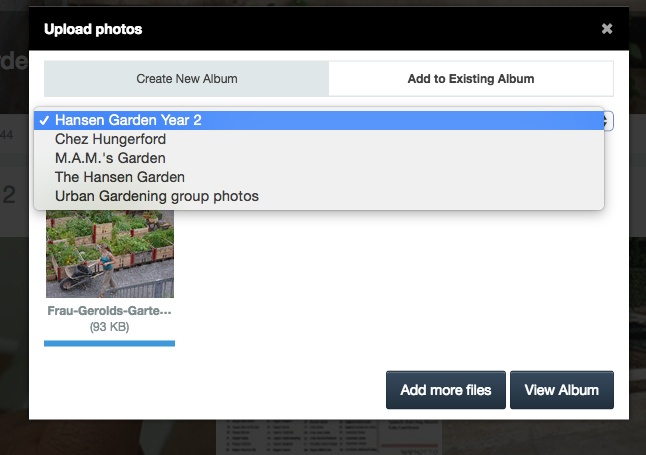
A user who belongs to the group "Urban Gardening" is trying to upload photos to "Hansen Garden Year 2" Photo Album. She used to be able to do this freely but cannot do it anymore as the album no longer populates in the list for her.
The Group settings for albums is to let users upload photos and albums so I am not sure why she is unable to have access to this (or any other) album any more.
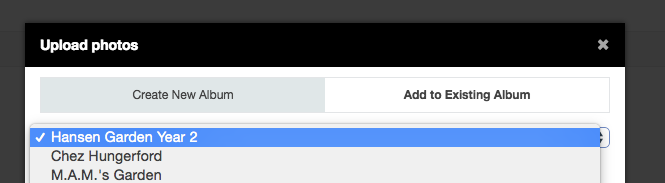
Site admins and super users have no problems accessing the albums, it is the normal users who cannot. Marissa Perry is the username which does not have access to upload photos into the album anymore since the upgrade to 4.0.3
OP edited for phpmyadmin access in Misc Info section.
-
- Dimas
- Visitor
- Thank you received: 0
Licenses:
username/password is not working for me
They just worked for me. Can you try again? Perhaps you cut/paste with an extra space on accident?
But I think I see where the issue is. The user is trying to upload photos to that album from her profile and these functions are not tied together and the user is expecting to see all albums she is able to access in this listing.

Here is the exact flow that the user did and I have just confirmed that is does not work:
1. Login and navigate to Group
2. Open Group Album by clicking in Photo Album Section
3. Click on any Picture to open the picture
4. Click on "View Album" in bottom menu of picture
5. Click on Upload Photos in upper-left.
The add to existing albums defaults to the user's albums and not the groups albums.

-
- Dimas
- Visitor
- Thank you received: 0
Licenses:
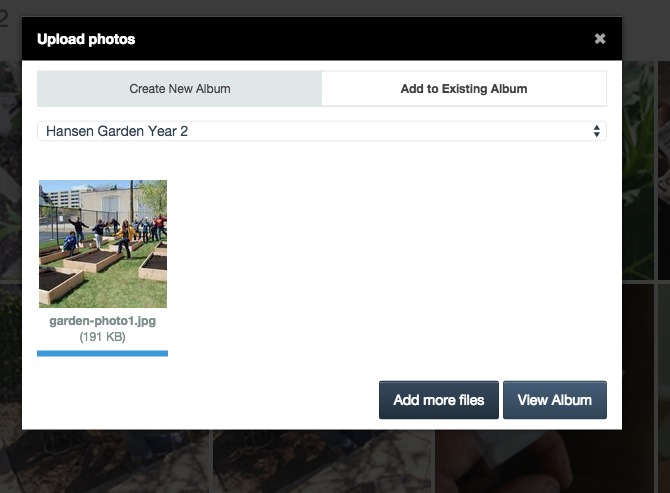

I see that it works if you simply just click on the "add photos to this album" button in the upper-right of the groups album but did you try it this way?
Here is the exact flow that the user did and I have just confirmed that is does not work:
1. Login and navigate to Group
2. Open Group Album by clicking in Photo Album Section
3. Click on any Picture to open the picture
4. Click on "View Album" in bottom menu of picture (located under the photo album title)
5. Click on Upload Photos in upper-left.
The "add to existing albums" defaults to the user's albums and not the groups albums.
Uploading photos to the album does not work this way. See the workflow in the attached screenshot for step-by-step navigation.

-
- Dimas
- Visitor
- Thank you received: 0
Licenses:
I see, well this issue is working fine on newest code, will be fixed in next package.
thank you