Welcome the Technical Support section. Help us in assisting you by providing us with a concise and descriptive elaboration of your issues. Be specific and if possible, provide us with a step-by-step instruction in replicating your problem.
Uploading Pictures and Videos Directly to Amazon S3

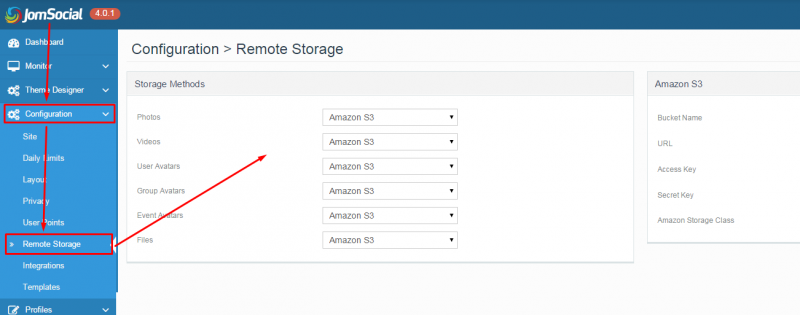
What settings will need to be adjusted, so that I could have uploaded user content deposited directly onto S3 instead of the local server? (i.e. Where it will wait on S3 until the cron activates, then it will be processed/converted/moved to the correct location...the S3 bucket for long term use listed in the JomSocial back-end settings.)
I appreciate the detailed explanation but let me rephrase my issue. I am looking for a way so that the user uploaded content is deposited *directly* on S3 where it will wait until a server activates it's cron. The reason I need this is I am running a load-balanced setup. Thus I need to adjust the file setting that controls where the user uploaded content -before cron processing- is stored, so I can change it to result in using S3 as central data storage for the 'pre' and 'post processed' content.
If I don't adjust the setting, when a cron activates to process the user uploaded media, that *specific* load-balanced web server may not have the files, and then regard them as "missing". I need to rectify this problem by using a centralized data storage system.
I'm sorry but this can't be done without extensive core hacking. The current flow is: upload to local server -> cron job runs -> files are moved to S3.
I apologize, but his can't be enhanced easily and is beyond our Technical Support.
- Instead of saying: 'it's not working', explain the problem in detail.
- Screenshots with the URL visible in them and the problem marked are more than welcome.
- Tell us how to replicate the problem, we can't fix it if we can't find it.
- Make sure that your site/server meets JomSocial System Requirements
- Make sure to setup JomSocial Cron Job
- Always provide us with access details to the backend and ftp. We need it to debug problems.
- If you have a similar problem, but a solution you found isn't working, open a new thread instead of 'merging' with an existing one.
- Use the "Thank You" feature on any post that helped you