Support Forum
JomSocial Article Option Settings
Greetings Pro's,
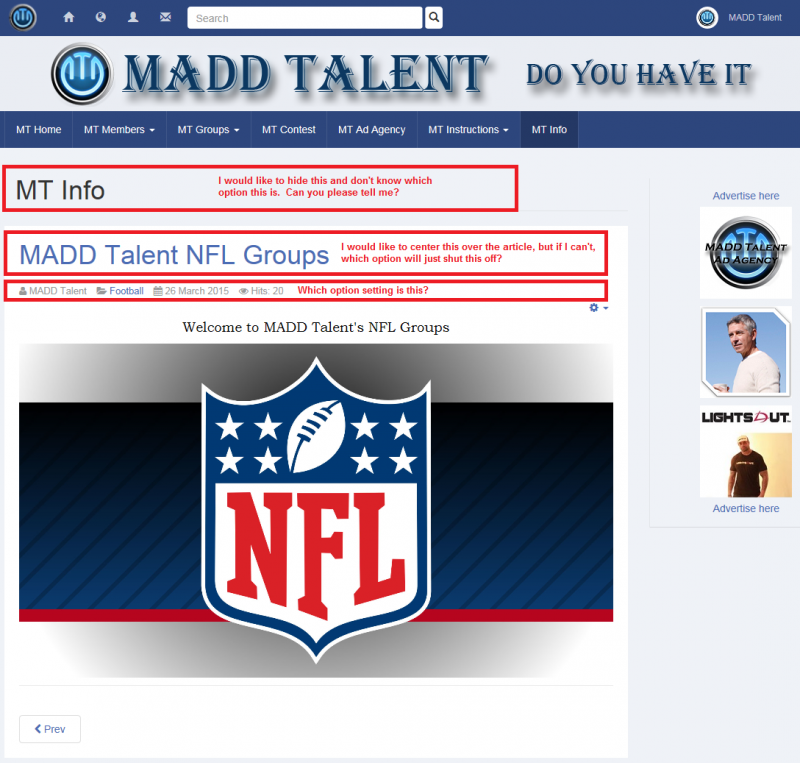
I think I have another easy one for you. I am creating series of new articles and would like to move and hide some of the article standard features. I have indicated what I can't seem to figure out in the attached image.
1) On the top in black it says the menu title, "MT Info". How do I turn this off or hide it?
2) Directly below the "MT Info" is the title "MADD Talent NFL Groups" and I would like to center this on the article, but if I cannot center it, how can I just hide it or turn it off?
3) The last one in the red rectangle is the article information and all I would like to do is move it to the bottom or hide it. How can I do this?
Thanks,
David
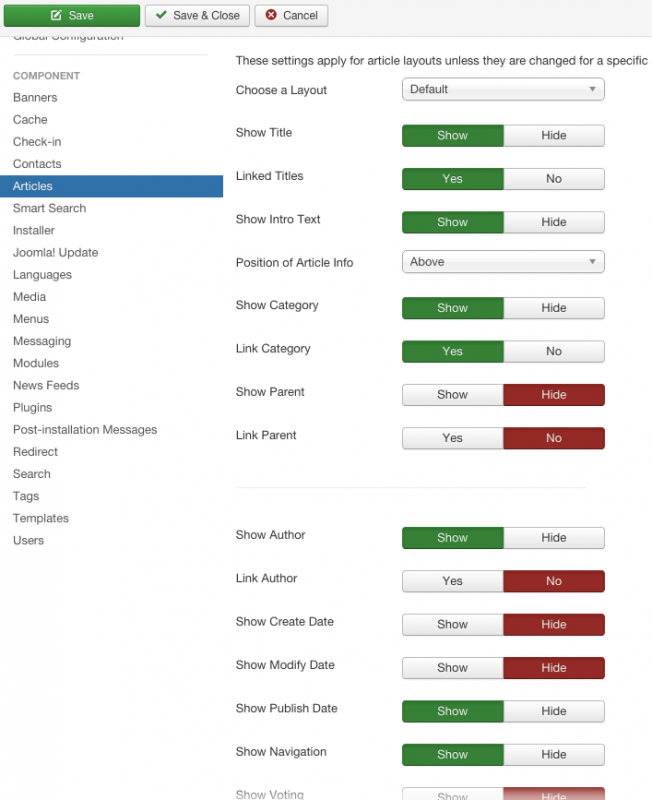
Dimas,
Thank you again for your help. I was able to get all the settings the way I want them except the first one in the image I attached when I asked this question. If you look at my site,
www.madd-talent.com
and then select the drop down menu MT Information and then select any of the MADD Talent Group sub-menu's you will see what I am talking about. At the top off all these pages, it shows the Menu Title. This is the only one I cant seem to hide. Would you mind please sending me very descriptive instructions on how to hide this one label please.
Thanks,
David
Dimas,
Thank you again for your help. I was able to get all the settings the way I want them except the first one in the image I attached when I asked this question. If you look at my site,
www.madd-talent.com
and then select the drop down menu MT Information and then select any of the MADD Talent Group sub-menu's you will see what I am talking about. At the top off all these pages, it shows the Menu Title. This is the only one I cant seem to hide. Would you mind please sending me very descriptive instructions on how to hide this one label please.
Thanks,
David
-

- Dimas
- Visitor
- Thank you received: 0
Licenses:
Hi David,
Edit each menu inside MT Information, go to tab Page Display, change "Show Page Heading" to No
Hope it helps :)
cheers!