Notice

The forum is in read only mode.

Support Forum

Welcome! Support Forums have been reactivated
Welcome the Technical Support section. Help us in assisting you by providing us with a concise and descriptive elaboration of your issues. Be specific and if possible, provide us with a step-by-step instruction in replicating your problem.

Video Size Thumbails on Main

10 years 10 months ago
  • J.C.'s Avatar
    Topic Author
  • J.C.
  • Offline
  • Fresh Boarder
  • Posts: 33
  • Thank you received: 0
Licenses:
JomSocial Expired Socialize Expired

Hello there!
Im using latest version of JS ;-)
I want to change (bigger) the size if the Video Thumbs.
I readed and follow everything and nothing change...
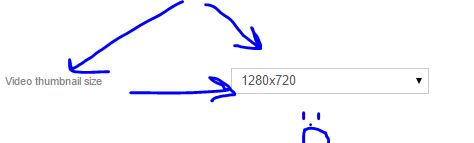
on my JS backend i changed the site that i showing on the picture number 1.
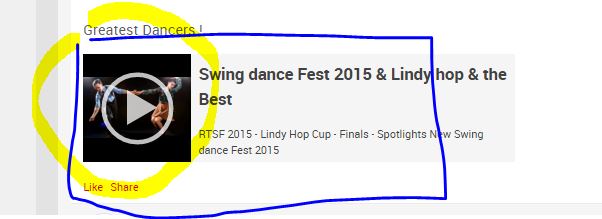
Then on All Videos i really dont know what can i do: i changed things but nothing happend, still as picture number 2.
I am using Requiem template from Gantry, so if i need to change some code, could you tell me exactly the rrot where i need to change it please?
Thank you so much and as always to who is reading this... wish you the best ;-)
You are a GREAT team!!!
J.C.

Attachments:
10 years 10 months ago
Licenses:

Hi,

you need to put this CSS at Gantry custom CSS

.joms-media--video, .joms-media--album {
  max-width: 600px;
}

.joms-media__thumbnail {
  height: 200px;
  width: 200px;
}

please change that values with your needed

ref:
docs.gantry.org/gantry4/tutorials/adding-a-custom-stylesheet

Regards

10 years 10 months ago
  • J.C.'s Avatar
    Topic Author
  • J.C.
  • Offline
  • Fresh Boarder
  • Posts: 33
  • Thank you received: 0
Licenses:
JomSocial Expired Socialize Expired

Hello Albertus!
Thank you for your help ;-)
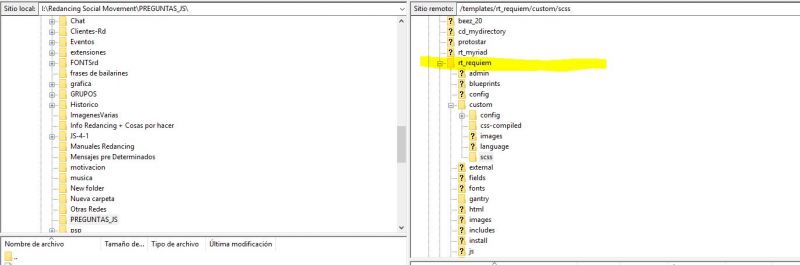
Look, i do not find where on my root i need to upoad your code... i follow gantry instruction but doesent change and i know thats because i am not adding my Requiem-custom.css in a right place...
I lift you a screen shot to show you where am i.
Thank you for helpme with this!

Attachments:
10 years 10 months ago
  • J.C.'s Avatar
    Topic Author
  • J.C.
  • Offline
  • Fresh Boarder
  • Posts: 33
  • Thank you received: 0
Licenses:
JomSocial Expired Socialize Expired

I tried as:
Rt_requiem-custom.css
rt_requiem-custom.css
requiem-custom.css
gantry-custom.css
Please, could you tell me where (root) must to add the code?
Im so sorry... i spended all day looking for more info.
I have Gantry 5
Requiem template
Jomsocial 4.1.3
Thank you for your help!

10 years 10 months ago
Licenses:

Hi,

I suggest you to asking Gantry for more support. I'm not familiar with Gantry 5
here the doc:
docs.gantry.org/gantry5/tutorials/adding-a-custom-style-sheet

I just realized your site using Gantry 5 that more complex then before.

Regards

10 years 10 months ago
  • J.C.'s Avatar
    Topic Author
  • J.C.
  • Offline
  • Fresh Boarder
  • Posts: 33
  • Thank you received: 0
Licenses:
JomSocial Expired Socialize Expired

Ok, im going to RocketTheme Team.
Thank You!

Moderators: Piotr Garasiński
Powered by Kunena Forum

Join 180,000 websites creating Amazing communities

JomSocial is the most complete, easy-to-use addon that turns Joomla CMS into a
full -fledged, social networking site

TRY NOW BUY NOW