Support Forum
custom layout - profile page

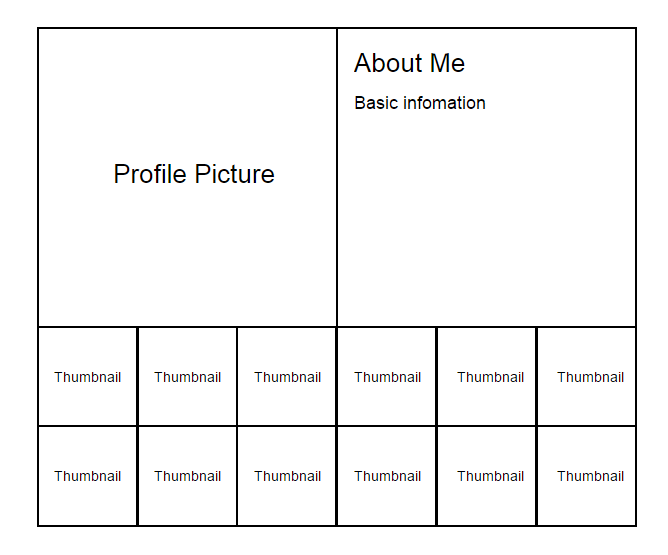
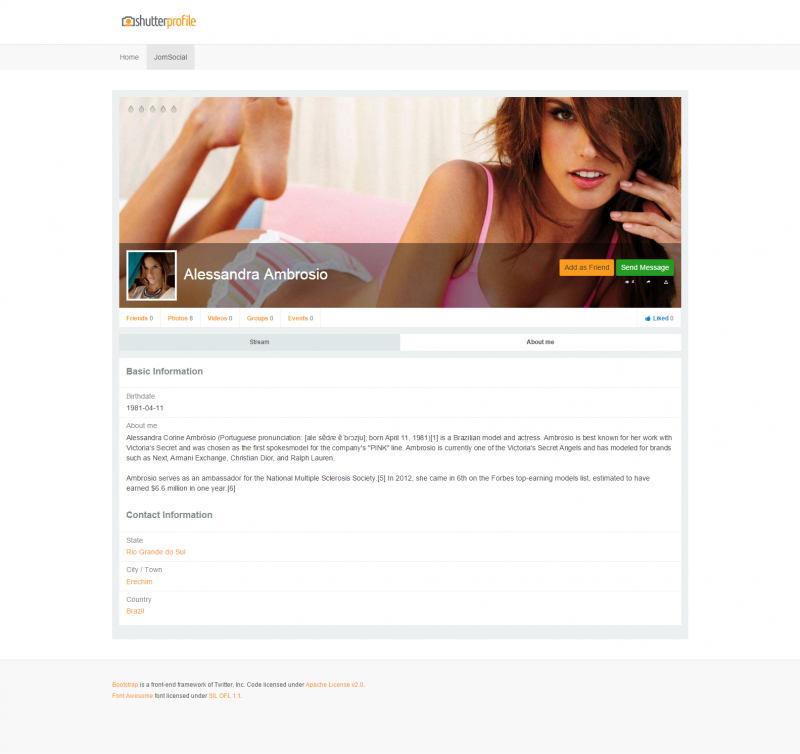
Hi.
Yes, it's possible... but we can't give you any design tips. What you're trying to do is complete layout change - guiding you here is beyond our technical support, I'm sorry.
Only I could do is to point you to documentation:
documentation.jomsocial.com/wiki/Customizing_Template
- Instead of saying: 'it's not working', explain the problem in detail.
- Screenshots with the URL visible in them and the problem marked are more than welcome.
- Tell us how to replicate the problem, we can't fix it if we can't find it.
- Make sure that your site/server meets JomSocial System Requirements
- Make sure to setup JomSocial Cron Job
- Always provide us with access details to the backend and ftp. We need it to debug problems.
- If you have a similar problem, but a solution you found isn't working, open a new thread instead of 'merging' with an existing one.
- Use the "Thank You" feature on any post that helped you
Hi.
You may control physical size of images by change definitions here: /test/components/com_community/defines.community.php
Please, note that new sizes will be applied only to newly uploaded images - already existing e.g avatars will have old size.
Also you may control display sizes by editing or overriding css image size definitions (you'll need FireBug to determine which definition to override/edit..
- Instead of saying: 'it's not working', explain the problem in detail.
- Screenshots with the URL visible in them and the problem marked are more than welcome.
- Tell us how to replicate the problem, we can't fix it if we can't find it.
- Make sure that your site/server meets JomSocial System Requirements
- Make sure to setup JomSocial Cron Job
- Always provide us with access details to the backend and ftp. We need it to debug problems.
- If you have a similar problem, but a solution you found isn't working, open a new thread instead of 'merging' with an existing one.
- Use the "Thank You" feature on any post that helped you
Hi,
I tried to change the size of the image & re-upload a new image but seems like it still stick with 160px.
is there any others file that control the width of avatar?
================================================
define('COMMUNITY_AVATAR_PROFILE_WIDTH', 160);
define('COMMUNITY_AVATAR_PROFILE_HEIGHT', 160);
define('COMMUNITY_AVATAR_RESERVE_WIDTH', 200);
define('COMMUNITY_AVATAR_RESERVE_HEIGHT', 200);
================================================
Hi.
No, they are controlled by this file. Try to change width and hight accordingly.
- Instead of saying: 'it's not working', explain the problem in detail.
- Screenshots with the URL visible in them and the problem marked are more than welcome.
- Tell us how to replicate the problem, we can't fix it if we can't find it.
- Make sure that your site/server meets JomSocial System Requirements
- Make sure to setup JomSocial Cron Job
- Always provide us with access details to the backend and ftp. We need it to debug problems.
- If you have a similar problem, but a solution you found isn't working, open a new thread instead of 'merging' with an existing one.
- Use the "Thank You" feature on any post that helped you