Notice

The forum is in read only mode.

Support Forum

Welcome! Support Forums have been reactivated
Welcome the Technical Support section. Help us in assisting you by providing us with a concise and descriptive elaboration of your issues. Be specific and if possible, provide us with a step-by-step instruction in replicating your problem.

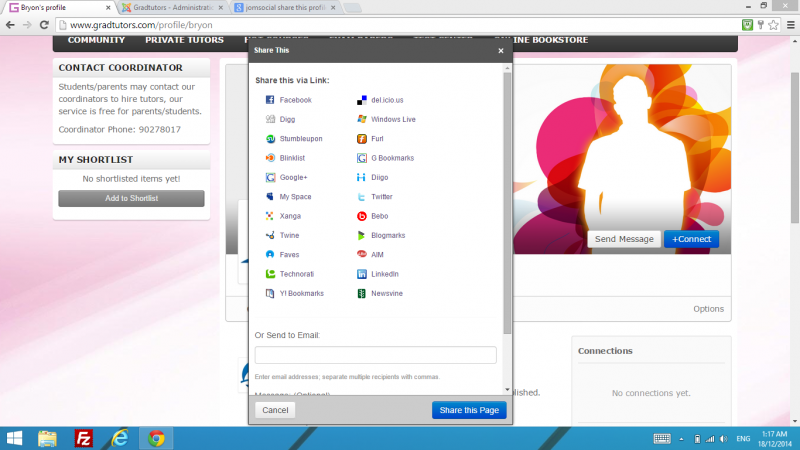
How to remove / hide old social media buttons in the "Share This Page"

11 years 10 months ago
  • Bryon's Avatar
    Topic Author
  • Bryon
  • Offline
  • Fresh Boarder
  • Posts: 33
  • Thank you received: 0
Licenses:
JomSocial Active

Hello,

On the profile page,
www.gradtutors.com/profile/bryon

There are old social media icons that I would like to hide / disable, like digg etc.

pls see attached.

How do i do it?

Attachments:
11 years 10 months ago
  • Dimas Tekad Santosa's Avatar
  • Dimas Tekad Santosa
  • Visitor
  • Thank you received: 0
Licenses:

Hi Bryon,

you can edit it from this file components/com_community/libraries/bookmarks.php, inside function _addDefaultBookmarks you can delete the un-used social media url.

thank you

11 years 6 months ago
  • Bryon's Avatar
    Topic Author
  • Bryon
  • Offline
  • Fresh Boarder
  • Posts: 33
  • Thank you received: 0
Licenses:
JomSocial Active

Hi,

It is very troublesome to modify the file every time I upgrade Jomsocial:
components/com_community/libraries/bookmarks.php

Is there a way to do template override?

11 years 6 months ago
  • Dimas Tekad Santosa's Avatar
  • Dimas Tekad Santosa
  • Visitor
  • Thank you received: 0
Licenses:

please you read here for how to override template documentation.jomsocial.com/wiki/Customizing_Template

Moderators: Piotr Garasiński
Powered by Kunena Forum

Join 180,000 websites creating Amazing communities

JomSocial is the most complete, easy-to-use addon that turns Joomla CMS into a
full -fledged, social networking site

TRY NOW BUY NOW