Notice

The forum is in read only mode.

Support Forum

Welcome! Support Forums have been reactivated
Welcome the Technical Support section. Help us in assisting you by providing us with a concise and descriptive elaboration of your issues. Be specific and if possible, provide us with a step-by-step instruction in replicating your problem.

When searching events results for missing the avatar

12 years 3 months ago
  • Robert's Avatar
    Topic Author
  • Robert
  • Offline
  • Fresh Boarder
  • Posts: 32
  • Thank you received: 0
Licenses:
JomSocial Expired

Hello,
When searching for lets say "chiropractic" on the search block on my events tab, the results are missing the avatar and the link because the style="display: none;" instead of display: block;

I have tried adding the following to my custom CSS sheet to no avail:

#community-wrap .cLayout .cSearch-Result .cIndex-Box .cIndex-Avatar a {
  display:block!important;
}

I think I'm close based on other CSS JomSocial support I received.

Thank you,

Robert

12 years 3 months ago
  • Dimas Tekad Santosa's Avatar
  • Dimas Tekad Santosa
  • Visitor
  • Thank you received: 0
Licenses:

Hi Robert,

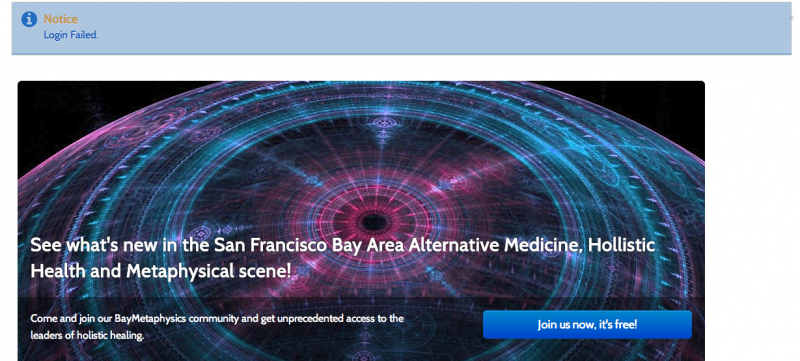
It can be caused by the 3rd party plugin, can you provide me the backend access, please? because your current backend access it not working for me.

thank you
12 years 3 months ago
  • Robert's Avatar
    Topic Author
  • Robert
  • Offline
  • Fresh Boarder
  • Posts: 32
  • Thank you received: 0
Licenses:
JomSocial Expired

I double checked and used those credentials to gain access.

12 years 3 months ago
  • Robert's Avatar
    Topic Author
  • Robert
  • Offline
  • Fresh Boarder
  • Posts: 32
  • Thank you received: 0
Licenses:
JomSocial Expired

please try the log-in again!

12 years 3 months ago
  • Dimas Tekad Santosa's Avatar
  • Dimas Tekad Santosa
  • Visitor
  • Thank you received: 0
Licenses:

Hi Robert,

I checked over and over and I always get like one screenshoot..

anyway, please you replicate your issue with the default Joomla template, maybe this issue caused by your template.

thank you

Attachments:
12 years 3 months ago
  • Robert's Avatar
    Topic Author
  • Robert
  • Offline
  • Fresh Boarder
  • Posts: 32
  • Thank you received: 0
Licenses:
JomSocial Expired

Hello, judging by the screenshot you are on the wrong installation.

Attachment ss_guest.png not found


This is where you should be.
/new/


Attachment ss_s_for_events.png not found


I want to have only one search box on the page, and depending on your solution which one I will try and remove.
Would like to see the avatar and name of the event appear like other areas of the site.

Thank you,
Robert

Attachments:
12 years 3 months ago
  • Dimas Tekad Santosa's Avatar
  • Dimas Tekad Santosa
  • Visitor
  • Thank you received: 0
Licenses:

Hi Robert,

#1 please you update your jomsocial to the latest first
#2 if still not working it can be caused by the plugin, because this issue is working fine on our latest code, I just checked it on my local, and apply this code :

h4.cIndex-Name.cResetH a {
display: block !important;
}

a.cIndex-Avatar.cFloat-L {
display: inline !important;
}

thank you

12 years 3 months ago
  • Robert's Avatar
    Topic Author
  • Robert
  • Offline
  • Fresh Boarder
  • Posts: 32
  • Thank you received: 0
Licenses:
JomSocial Expired

Wow you guys update more then I eat vegetable :p
I updated to com_community_pro_3.2.1, but the issue remained, after adding the CSS to my custom css file it showed up as intended.

Thank you!

12 years 3 months ago
  • Dimas Tekad Santosa's Avatar
  • Dimas Tekad Santosa
  • Visitor
  • Thank you received: 0
Licenses:

Hi Robert,

Because this issue is not coming from Jomsocial, I am sure from the 3rd party plugin, I dont know the plugin name exactly..

so the solution is use my code above, or you disabled the plugin ( if you know the root if this issue :))

thank you

Moderators: Piotr Garasiński
Powered by Kunena Forum

Join 180,000 websites creating Amazing communities

JomSocial is the most complete, easy-to-use addon that turns Joomla CMS into a
full -fledged, social networking site

TRY NOW BUY NOW
