Support Forum
template soziale installation
I purchased template soziales and tried to install, but
I think I need a step by step guiding trough:
I installed it, but I cannot find less>>css button
now the website cant be opened by browser.
Many thanks; Hermann
-

- Dimas
- Visitor
- Thank you received: 0
Licenses:
Hi Hermann,
I cant open your backend URL, can you check it please?
anyway, you are missing T3 plugin, please you install and enable it, you can get the T3 plugin on socialize package.
thank you!
ok, I`ve installed T3 plugin now, but the website looks strange now.
The upper area of the website has a sozialize picture and toolbar and so on dont look optimized.
How can I get the handsome standard sozialize look?
Thank you,Hermann
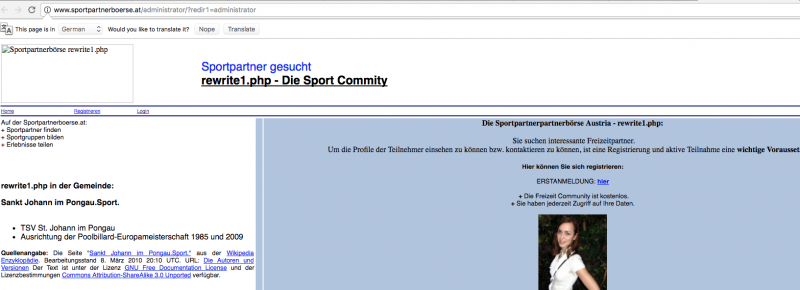
due to I`m using rewrite script, the backend is available at:
sportpartnerboerse.at/administrator/index.php
-
- Dimas
- Visitor
- Thank you received: 0
Licenses:
Hi Hermann,
Done, its better now.. please check again.
thank you!
Hi, it looks quite good now!
please could you be so nice and
+ remove the T3 Framework banner, right down bottom
+ remove the main menu bar, below the toolbar, I dont need it there
+ remove the space between breadcrumbs and the "Home Profile Members Friends..." line, it shall lie direct under the breacrumbs.
Many thanks for your so quick support!
-
- Dimas
- Visitor
- Thank you received: 0
Licenses:
Hi Herman
1. Done
2. Done
3. Done
Do you mean like that? please check your site
Hi, thank you very much.
I meant like screenshot, see below:
a. As you can see in the screenshot, the bar with "home - impressum" I dont need, I marked it with white lines.
b. The design of the toolbar above in the prior layout was already ok. Please give the two buttons "login" and "sign in" to the left, as I signed in the screenshot.
c. Main Menu: with the "Home" and "impresum" between "hello me" and "members map", something like this as you can see in the screenshot.
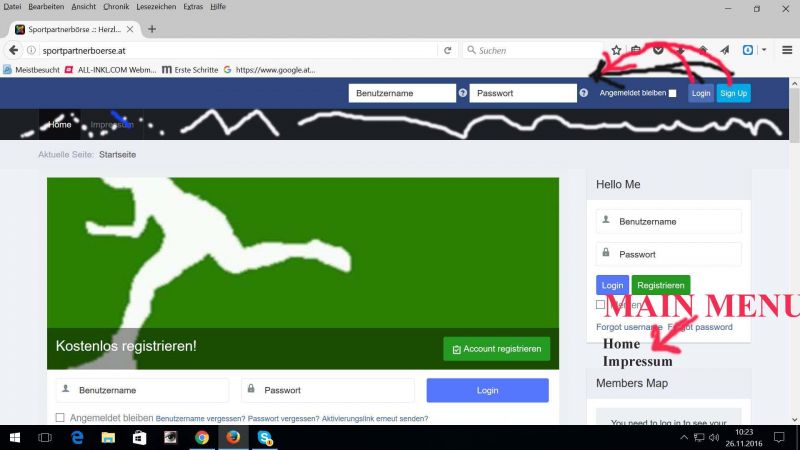
Dot. 1 and 3 were perfect done!
Thank you,Hermann
-
- Dimas
- Visitor
- Thank you received: 0
Licenses:
Hi Hermann,
a & c. done
b. I suggest you dont change that, the UX looks weird, because you need checked "remember me" first before you login, so thats why login button position after "remember me" options, that is just my opinion ;)