Notice

The forum is in read only mode.

Support Forum

Welcome! Support Forums have been reactivated
Welcome the Technical Support section. Help us in assisting you by providing us with a concise and descriptive elaboration of your issues. Be specific and if possible, provide us with a step-by-step instruction in replicating your problem.

adjust text size

10 years 1 week ago
  • azri's Avatar
    Topic Author
  • azri
  • Offline
  • Fresh Boarder
  • Posts: 58
  • Thank you received: 2
Licenses:
JomSocial Active Socialize Expired

ISSUE SUMMARY:

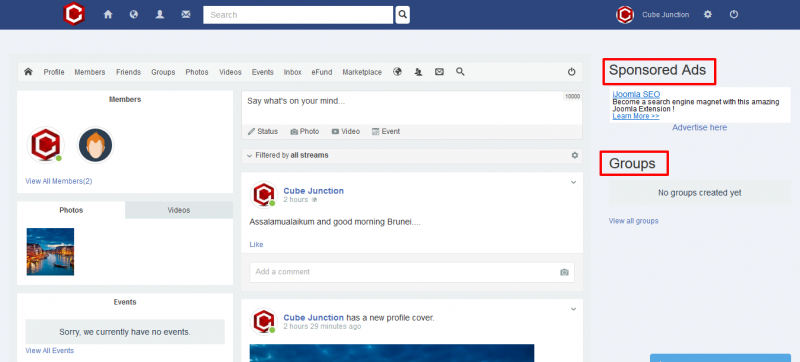
how to adjust the size of the text? after using module-no-border. the text become larger automatically


STEPS TO REPLICATE:
1
2
3
4
5
RESULT
EXPECTED RESULT
BROWSER

Attachments:
10 years 1 week ago
  • Dimas's Avatar
  • Dimas
  • Visitor
  • Thank you received: 0
Licenses:

Hi Azri,

Use this code :

.module-no-border .module-title {
    font-size: 30px;
}

change the size like you want

thank you!

10 years 1 week ago
  • azri's Avatar
    Topic Author
  • azri
  • Offline
  • Fresh Boarder
  • Posts: 58
  • Thank you received: 2
Licenses:
JomSocial Active Socialize Expired

Hello Dimas....

Great... thanks... and how to add bold?

10 years 1 week ago
  • Dimas's Avatar
  • Dimas
  • Visitor
  • Thank you received: 0
Licenses:

try this :

.module-no-border .module-title {
    font-size: 30px;
font-weight: bold;
}

10 years 1 week ago
  • azri's Avatar
    Topic Author
  • azri
  • Offline
  • Fresh Boarder
  • Posts: 58
  • Thank you received: 2
Licenses:
JomSocial Active Socialize Expired

Thank you again DImas

Moderators: Piotr Garasiński
Powered by Kunena Forum

Join 180,000 websites creating Amazing communities

JomSocial is the most complete, easy-to-use addon that turns Joomla CMS into a
full -fledged, social networking site

TRY NOW BUY NOW