Support Forum
Layout Change After Upgrade

Greetings Pro's,
I have an issue that started about a week ago when I loaded the new version of JomSocial. I will explain this with a series of screen shots to help you help me figure out what is wrong. The first screen shot is my home page,
www.madd-talent.com
and this is exactly how it's looked for a long time and is correct in this configuration or layout.

The area of concern since this new version is within the yellow rectangle at the top of this screen shot. What happens is this landing page is fine. But when I log in, or a member logs in, this yellow rectangle area goes away as indicated in this next screen shot.
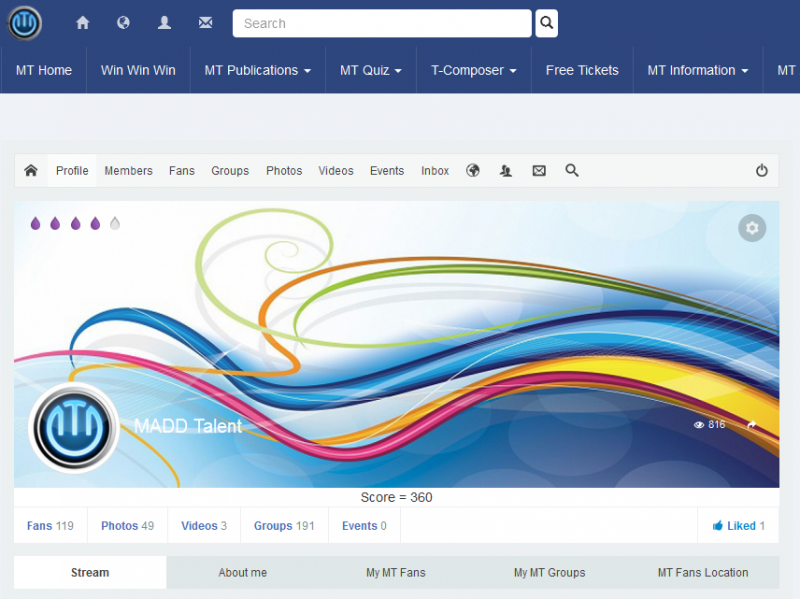
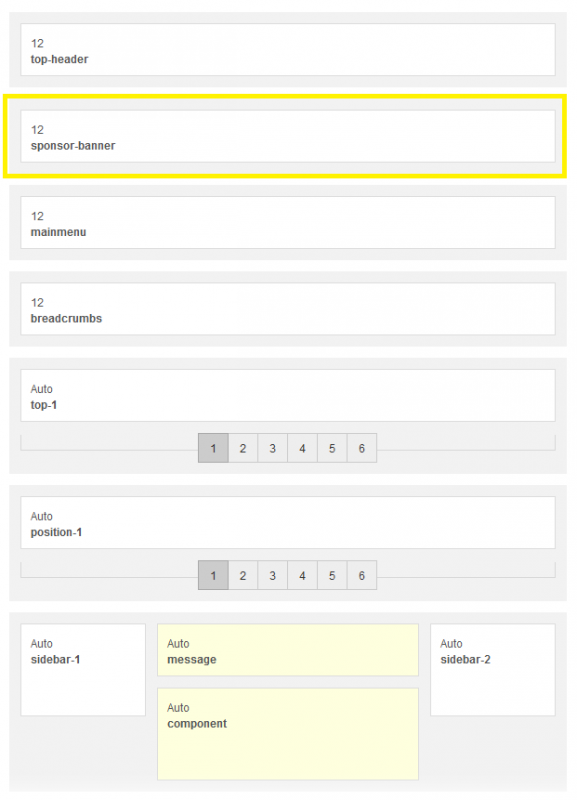
Now, prior to upgrading to this new version, when you logged in, that MADD Talent banner that is shown in the first screen shot was still there, until you scrolled down the page. When you scrolled down the page, it would then look like it appears now in this screen shot. But now, it just does not show up. What troubles me about this is that I spend about 4 days, which is a lot of time for me as I have no experience doing this custom CSS work, but I designed a new layout zone which is named Sponsor-Banner and is still in my Socialize layout. When I go to the template, it shows that it's still there.
I have intentions for this Sponsor-Banner and would like it to show back up. I asked this question about a week ago and was told that this is a Socialize issue, but I have not touched this in many months. The only thing I have done is upgrade to the new JomSocial which now has had 3 bugs if I include this one. Yes, the other two have been fixed by you JomSocial experts, but this one is still not working. I realize that I need to renew my Socialize license and I will, but this has nothing to do with Socialize as it's always worked just fine. I don't think I should have to pay for a new license to get this fixed when all I did was upgrade my paid JomSocial.
Please understand that I am not an upset customer at all. I love your products and have pretty much all of them paid for and current on my site and to keep things working perfectly, I will, when I have the money, upgrade my Socialize as well. BUT, this did not happen because of an outdated license and I have been a good customer and think someone should look into this at least and fix it or tell me what's wrong. It's not anything I have done and it's not because Socialize is outdated. This happened because I upgraded my paid for license. I am attaching one final screen shot that shows the new CSS Zone that the Socialize tech's spent weeks talking me through to set it up correctly. It was working perfectly for over a year and now it's not, so please, look into this.
Thanks,
David Martin
Hi, David.
Your issue rather has nothing to do with Socialize template :)
Template just has a module position.
But display is controlled by Joomla! or particular component.
I disabled language filter as your site is not properly configured for multilingual mode.
It seems that issue with modules is related with "JSN Position chooser" whatever it is.
i.imgur.com/GTiTo7U.png
Modules are properly displayed in template preview.
Just something is preventing them to be displayed on other pages than home.
I'm guessing that it's a misconfiguration in JSN Power Admin.
- Instead of saying: 'it's not working', explain the problem in detail.
- Screenshots with the URL visible in them and the problem marked are more than welcome.
- Tell us how to replicate the problem, we can't fix it if we can't find it.
- Make sure that your site/server meets JomSocial System Requirements
- Make sure to setup JomSocial Cron Job
- Always provide us with access details to the backend and ftp. We need it to debug problems.
- If you have a similar problem, but a solution you found isn't working, open a new thread instead of 'merging' with an existing one.
- Use the "Thank You" feature on any post that helped you
Michal,
AAAHHH! I am so excited! Thank you for taking the time to look into this. Now that you tell me it's because of the language thing, I remember. When I attempted to set up the Spanish Language for my site is when this happened. That's when the module position things started acting crazy as well. It's all fixed now. Thank you so much Michal.
Have a great day,
Davdi