Support Forum
Adjust the alerts order



Hi, Leo.
You may change icons order. Just create override for this file:
ROOT/components/com_community/templates/jomsocial/layouts/toolbar/base.php
Copy it to:
ROOT/templates/your-template/html/com_community/layouts/toolbar (if you don't have those folders - feel free to create them)
Icons are listen in UL. Just look for elemnts that contain: #joms-icon-*
The only difference is that clicking on spyglasses opens an ajax search field. Both field search for users only.
- Instead of saying: 'it's not working', explain the problem in detail.
- Screenshots with the URL visible in them and the problem marked are more than welcome.
- Tell us how to replicate the problem, we can't fix it if we can't find it.
- Make sure that your site/server meets JomSocial System Requirements
- Make sure to setup JomSocial Cron Job
- Always provide us with access details to the backend and ftp. We need it to debug problems.
- If you have a similar problem, but a solution you found isn't working, open a new thread instead of 'merging' with an existing one.
- Use the "Thank You" feature on any post that helped you

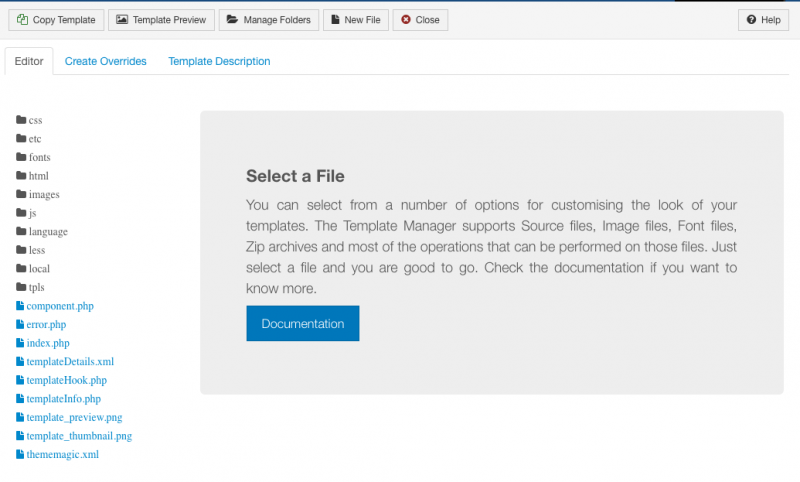
HI, Leo.
No, you should rather use FTP client. Then locate file I mentioned ROOT/components/com_community/templates/jomsocial/layouts/toolbar/base.php
Then copy it to second mentioned location ROOT/templates/your-template/html/com_community/layouts/toolbar (create necessary folders if you don't have them already).
Then edit it in there.
- Instead of saying: 'it's not working', explain the problem in detail.
- Screenshots with the URL visible in them and the problem marked are more than welcome.
- Tell us how to replicate the problem, we can't fix it if we can't find it.
- Make sure that your site/server meets JomSocial System Requirements
- Make sure to setup JomSocial Cron Job
- Always provide us with access details to the backend and ftp. We need it to debug problems.
- If you have a similar problem, but a solution you found isn't working, open a new thread instead of 'merging' with an existing one.
- Use the "Thank You" feature on any post that helped you
Hello Ive installed FileZilla..
Would this be the correct location?
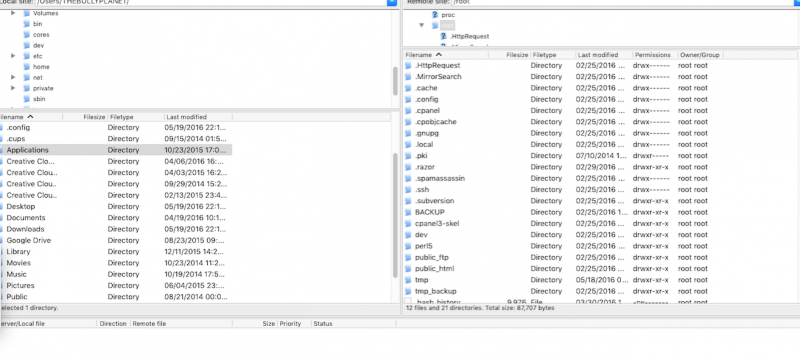
Since I don't see file I will create.
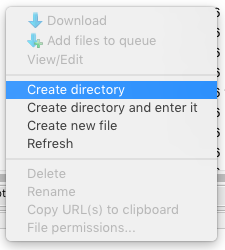
How will I know what are the necessary folders since I don't have them already?
Thanks for you help.
This is my goal:
I only would like to use the spyglasses in this toolbar because the other alerts will be display on my other toolbar. And I would like my website name the display instead in their place.
Hi, Leo.
No, you need to find folder where your Joomla! isninstalled first.
This will be your ROOT folder - folder that contain all your Joomla! files.
Try to look in public_html folder.
Then just follow path I provided above.
I understand what you're trying to achieve... but first you need to locate your Joomla! (ROOT) folder.
- Instead of saying: 'it's not working', explain the problem in detail.
- Screenshots with the URL visible in them and the problem marked are more than welcome.
- Tell us how to replicate the problem, we can't fix it if we can't find it.
- Make sure that your site/server meets JomSocial System Requirements
- Make sure to setup JomSocial Cron Job
- Always provide us with access details to the backend and ftp. We need it to debug problems.
- If you have a similar problem, but a solution you found isn't working, open a new thread instead of 'merging' with an existing one.
- Use the "Thank You" feature on any post that helped you
I've contacted my hosting support. To see if they could assist me with accessing my Joomla files.
I was told, I can try to find it using something like the Joomla config file name, as it's likely common across all Joomla's and is generally placed in the root.
Currently I'm not sure if I need to search Joomla.com? If not could you provide me with the url to the location to retrieve info?
Thanks
HI, Leo.
No, you don't have need to contact joomla.org :)
Just take a closer look to what you already saw.
Your Joomla is located here: /home/thebully/public_html/
i.imgur.com/xe0Rz3N.png
So this should be your Joomla! ROOT folder.
- Instead of saying: 'it's not working', explain the problem in detail.
- Screenshots with the URL visible in them and the problem marked are more than welcome.
- Tell us how to replicate the problem, we can't fix it if we can't find it.
- Make sure that your site/server meets JomSocial System Requirements
- Make sure to setup JomSocial Cron Job
- Always provide us with access details to the backend and ftp. We need it to debug problems.
- If you have a similar problem, but a solution you found isn't working, open a new thread instead of 'merging' with an existing one.
- Use the "Thank You" feature on any post that helped you