Notice

The forum is in read only mode.

Support Forum

Welcome! Support Forums have been reactivated
Welcome the Technical Support section. Help us in assisting you by providing us with a concise and descriptive elaboration of your issues. Be specific and if possible, provide us with a step-by-step instruction in replicating your problem.

Logo failed

10 years 6 months ago
  • André's Avatar
    Topic Author
  • André
  • Offline
  • Fresh Boarder
  • Posts: 31
  • Thank you received: 1
Licenses:
JomSocial Active GURU Active Publisher Active AdAgency Active iSEO Active Socialize Active

Hi there

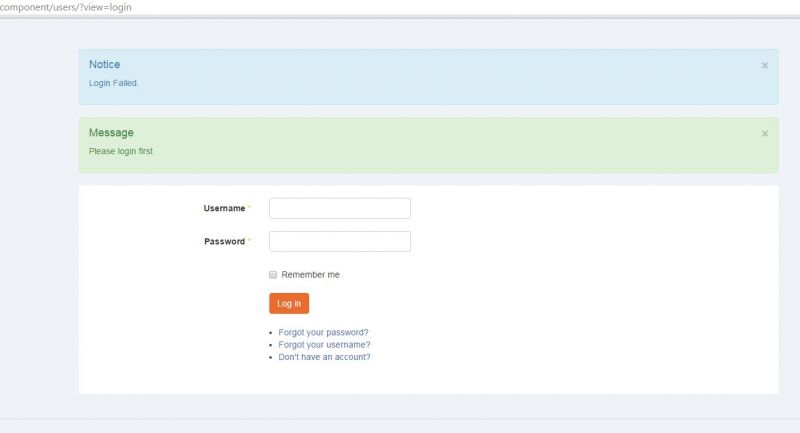
my problem when i type a wrong password in, then the logo from the mainsite is not visible (see printscreen).

i can not show the logo on all siites - because after login just the icon is in the toolbar.

the same problem is also on: Forgot Username? Forgot Password?

what can i do for fix this issue?

thanks for your quick help...

Attachments:
10 years 6 months ago
  • Dimas's Avatar
  • Dimas
  • Visitor
  • Thank you received: 0
Licenses:

Hi,

You was set the logo module for jomsoical only, now I already set it for all menus, and its showing now.

thank you!

10 years 6 months ago
  • André's Avatar
    Topic Author
  • André
  • Offline
  • Fresh Boarder
  • Posts: 31
  • Thank you received: 1
Licenses:
JomSocial Active GURU Active Publisher Active AdAgency Active iSEO Active Socialize Active

hi dimas,

can u explain me where u have done this? i need this because another modules from the homepage i also need on the other site.

thanks,
andre

10 years 6 months ago
  • Dimas's Avatar
  • Dimas
  • Visitor
  • Thank you received: 0
Licenses:

Hi,

On module manager, choose the module do you want to edit, and change the menu assigment, choose all menus.

Cheers!

Moderators: Piotr Garasiński
Powered by Kunena Forum

Join 180,000 websites creating Amazing communities

JomSocial is the most complete, easy-to-use addon that turns Joomla CMS into a
full -fledged, social networking site

TRY NOW BUY NOW