Support Forum
Invalid token on new user signup

ISSUE SUMMARY:
We're getting the "Invalid Token" error when trying to sign up for new user accounts. So far we have tried the following attempts to rectify this issue but none have solved it.
1. Set Joomla's cache settings to OFF.
2. Deactivated the System - Page Cache plugin.
3. Upped the session time from 15 mins to 2 days.
I have also seen suggestions in other forum posts to use the Invalid Token Interceptor plugin. After investigating this it appears to only allow you to change the error message and doesn't resolve the situation that causes the error in the first place.
STEPS TO REPLICATE:
1 Visit test site URL and click "Get Connected!"
2 Fill out sign up form.
RESULT "Invalid Token" error
EXPECTED RESULT Redirect to next page of sign up.
BROWSER Tried on Chrome and Safari.
Hi, Gordon.
I assign developer to this thread.
- Instead of saying: 'it's not working', explain the problem in detail.
- Screenshots with the URL visible in them and the problem marked are more than welcome.
- Tell us how to replicate the problem, we can't fix it if we can't find it.
- Make sure that your site/server meets JomSocial System Requirements
- Make sure to setup JomSocial Cron Job
- Always provide us with access details to the backend and ftp. We need it to debug problems.
- If you have a similar problem, but a solution you found isn't working, open a new thread instead of 'merging' with an existing one.
- Use the "Thank You" feature on any post that helped you
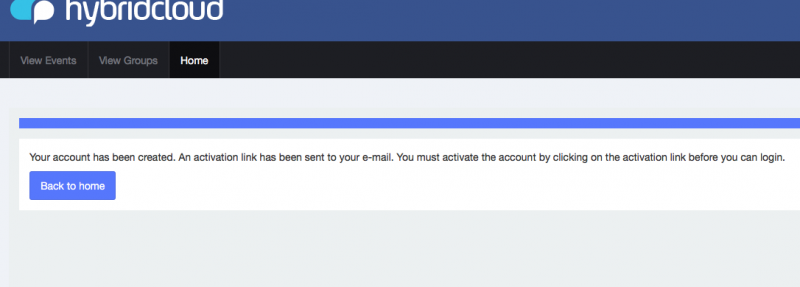
I have just tried to register using Firefox which had not been used to visit the site before and received the same error. I then tried clearing all cookies on Firefox and this still didn't solve the issue. We have also had the same issue reported by all of the users who have been testing the system.
Hi,
seem invalid token happening with non-www only. please redirect non-www to www, you can put the code at joomla htaccess file
stackoverflow.com/questions/4953966/redi...w-url-to-the-www-url
if you dont know how to do it. please edit your first post at put FTP access detail at site info form.
Regards
I'm sorry but your answer makes absolutely no sense.
The staging site is hosted on a subdomain and not the naked domain, as it stands there is no www subdomain pointed at our staging site so it is impossible for you to have tested the site and come to that conclusion.
Does your answer mean that JomSocial only works if it is hosted on a www subdomain? If that is true then surely this is something that ought to be made clear upfront.
Hi,
at your dev site, I cant replicate this issue. only at your live site I can replicate this issue. by visiting www first and non www after that.
please see this:
www.ostraining.com/blog/joomla/invalid-token/
docs.joomla.org/How_to_add_CSRF_anti-spoofing_to_forms
www.itoctopus.com/invalid-token-on-joomla-login
try to register via:
http://[yoursite domain]/index.php?option=com_users&view=registration
if you got invalid token. the issue at joomla site because CSRF protection.
try to clear your browser data and don't browse other sites in the same browser while you are logged into your site.
if still cant, I need access as super user and FTP access detail. please edit your first post at this topic, and put it at site info form.
Regards
Apologies for the confusion regarding the sites. At present the site has not launched and it will not do so until this issue is resolved, I was not aware that the domain had been pointed.
I am only addressing the issue in relation to the staging site at the moment. This is the site that we have been visiting using multiple browsers on multiple machines and this is the site that has given us the "Invalid Token" error on the overwhelming majority of attempts.
Clearing browser data has not been successful for me and even if it had been successful this is not an acceptable strategy once the site is live as most users trying and failing to sign up would not attempt it.
You linked me to
www.itoctopus.com/invalid-token-on-joomla-login
as an explanation for how CSRF tokens work. This article specifically mentions JomSocial conflicting with user logins and suggests the following solutions:
- Uninstall JomSocial: Just uninstall JomSocial by going to Extensions and then the Install/Uninstall page in your Joomla Control Panel and then uninstall JomSocial.
- Disable JomSocial plugins: Disable all JomSocial plugins. This will also solve the problem, but will definitely cause problems with JomSocial.
- Fix the JomSocial code: Again, you may need Joomla Experts to do that for you.
Since the first two options obviously aren't going to be viable. That leaves the final option: you fixing the system that you are selling so that legitimate users do not encounter this issue. Please inform me when you plan on doing this.
Hi,
please edit your first post at this topic. after "edit" button clicked. you can see site info form. please update that credentials information and provide me hosting cpanel access detail, FTP access detail, and super user access detail (not as administrator)
I want have a look your joomla configuration and session at database
I able to replicate this issue by using Chrome only, not with firefox and else.
Regards
I have added the FTP details and updated your existing login to super user.
As far as cPanel access goes as the site is hosted on Microsoft Azure there is no control panel for the site, we also cannot give you access to the Azure Portal for security reasons.
In place of this I have added the endpoint details for the database. Since phpMyAdmin is not installed it will need to be accessed using a desktop MySQL client.