Notice

The forum is in read only mode.

Support Forum

Welcome! Support Forums have been reactivated
Welcome the Technical Support section. Help us in assisting you by providing us with a concise and descriptive elaboration of your issues. Be specific and if possible, provide us with a step-by-step instruction in replicating your problem.

Menu gives double arrow - Clicking Does Not Take You to the Linked Page

10 years 9 months ago
  • Jim's Avatar
    Topic Author
  • Jim
  • Offline
  • Fresh Boarder
  • Thank you received: 1
Licenses:
JomSocial Expired

ISSUE SUMMARY:

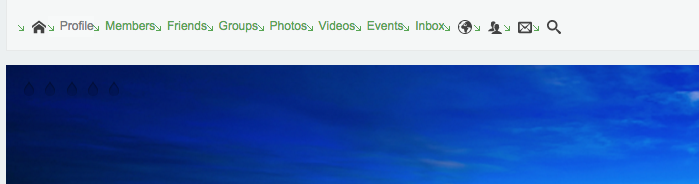
When you click on the menu, some of the items turn into double arrows and it will not allow you to click to go to that option. I clicked on the arrows, but nothing else comes up.

It happens to the "Profile", "Members", "Friends", and there is another set of arrows next to inbox, which I have no idea what that is for.


STEPS TO REPLICATE:
1
2
3
4
5
RESULT
EXPECTED RESULT
BROWSER

Attachments:
10 years 9 months ago
  • Dimas's Avatar
  • Dimas
  • Visitor
  • Thank you received: 0
Licenses:

Hi,

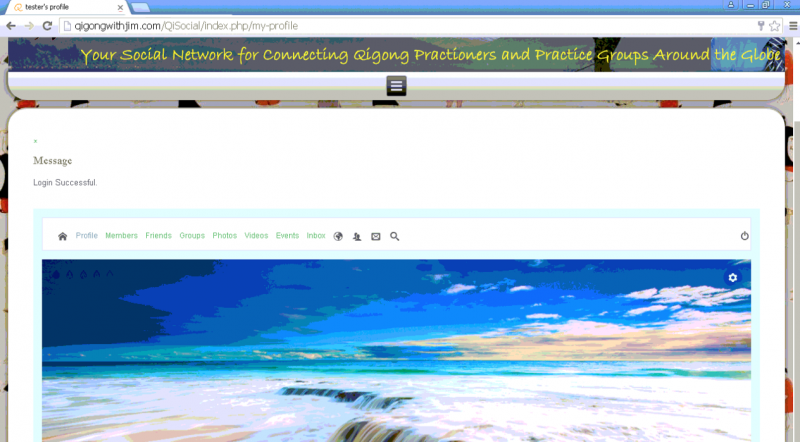
I dont see the double arrow on my browser, but this issue caused by your joomla template.

On my browser I only see the green arrow..


and to remove it you should edit this file QiSocial/templates/qwjversion1300/css/template.css and remove this code :
content: url('../images/postbullets.png');

Attachments:
10 years 9 months ago
  • Jim's Avatar
    Topic Author
  • Jim
  • Offline
  • Fresh Boarder
  • Thank you received: 1
Licenses:
JomSocial Expired

Dimas,

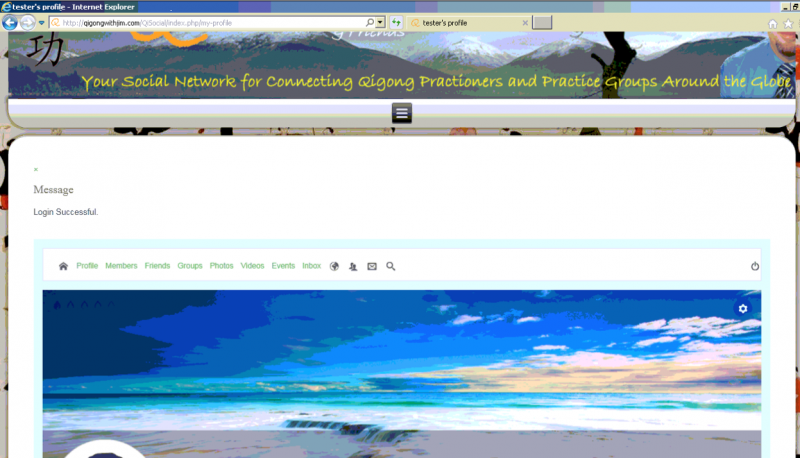
Thank you for helping. Your suggestion did not work. I am using Chrome, Mozilla and IE, and they both show errors for Profile, Members, and Friends.

I am also curious to know what browser you are using that is not producing the same results as the three browsers mentioned.

Any help would be greatly appreciated.

Thank you.

10 years 9 months ago
  • Dimas's Avatar
  • Dimas
  • Visitor
  • Thank you received: 0
Licenses:

I am using chrome on OSX.. are you using windows, right?

10 years 9 months ago
  • Jim's Avatar
    Topic Author
  • Jim
  • Offline
  • Fresh Boarder
  • Thank you received: 1
Licenses:
JomSocial Expired

Yes. Testing it on windows xp, 7 and 8.

10 years 9 months ago
  • Dimas's Avatar
  • Dimas
  • Visitor
  • Thank you received: 0
Licenses:

Hi Jim,

I also checked it on chrome and IE, everything its fine

Maybe this issue only happens on your PC.

thank you!

Attachments:
10 years 9 months ago
  • Jim's Avatar
    Topic Author
  • Jim
  • Offline
  • Fresh Boarder
  • Thank you received: 1
Licenses:
JomSocial Expired

I have tried on other computers and getting the same issue. It is strange that only the first 3 links do this and the rest (except inbox shows double arrows next to it) do not.

10 years 9 months ago
  • Jim's Avatar
    Topic Author
  • Jim
  • Offline
  • Fresh Boarder
  • Thank you received: 1
Licenses:
JomSocial Expired

Since this is a template created by Artisteer, I found out the answer in fixing this problem.

Go to your template directory: /templates/YourTemplateName/css

Edit the template.css file

Find: .art-postcontent ul > li

Then a few lines of code below, find overflow-y:hidden; property. <- Delete this and save the file.

Now I get the drop downs and it is working perfectly now.

Moderators: Piotr Garasiński
Powered by Kunena Forum

Join 180,000 websites creating Amazing communities

JomSocial is the most complete, easy-to-use addon that turns Joomla CMS into a
full -fledged, social networking site

TRY NOW BUY NOW