Notice

The forum is in read only mode.

Support Forum

Welcome! Support Forums have been reactivated
Welcome the Technical Support section. Help us in assisting you by providing us with a concise and descriptive elaboration of your issues. Be specific and if possible, provide us with a step-by-step instruction in replicating your problem.

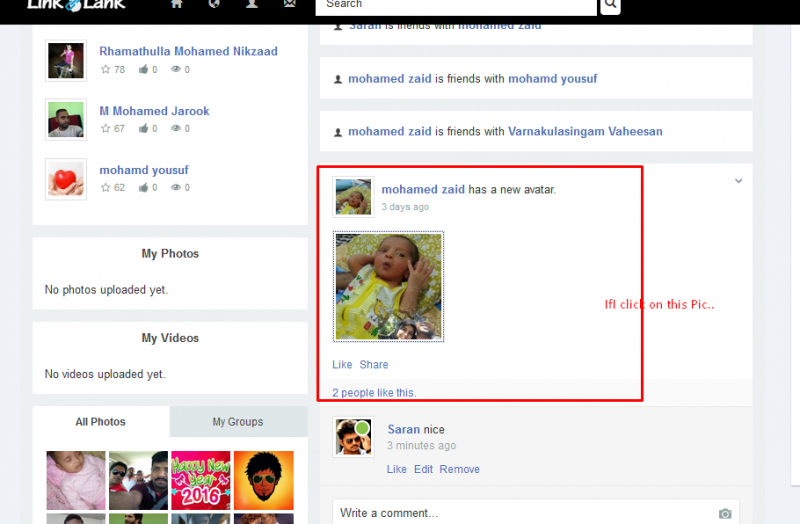
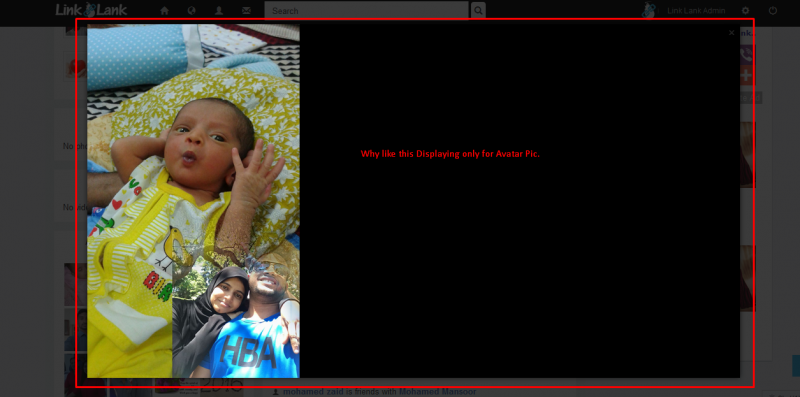
Avatar Pic Displaying Wrongly than usual view

10 years 9 months ago
Licenses:
JomSocial Active AdAgency Expired Socialize Expired

ISSUE SUMMARY:
The avatar new image Displaying not good..I think it has some error.
Eg.
"Haariz has a new avatar" and It shows that image.
These Image Display has that wrong display.(See the screen shot..)

STEPS TO REPLICATE:
1
2
3
4
5
RESULT
EXPECTED RESULT
BROWSER

Attachments:
10 years 9 months ago
Licenses:

Hi.

Thank you for reporting this.
It seems to be a valid bug.
I reported it to our developers.


- Instead of saying: 'it's not working', explain the problem in detail.
- Screenshots with the URL visible in them and the problem marked are more than welcome.
- Tell us how to replicate the problem, we can't fix it if we can't find it.
- Make sure that your site/server meets JomSocial System Requirements
- Make sure to setup JomSocial Cron Job
- Always provide us with access details to the backend and ftp. We need it to debug problems.
- If you have a similar problem, but a solution you found isn't working, open a new thread instead of 'merging' with an existing one.

- Use the "Thank You" feature on any post that helped you
The following user(s) said Thank You: Mohamed
10 years 9 months ago
Licenses:

HI.

Please, make safe copy of those files:

ROOT/components/com_community/assets/release/js/bundle.js
ROOT/components/com_community/assets/source/js/popups/photo.zoom.js

Then replace original files with patched one from package.

Clear browser and Joomla! cache (IMPORTANT) and check if issue persist.


- Instead of saying: 'it's not working', explain the problem in detail.
- Screenshots with the URL visible in them and the problem marked are more than welcome.
- Tell us how to replicate the problem, we can't fix it if we can't find it.
- Make sure that your site/server meets JomSocial System Requirements
- Make sure to setup JomSocial Cron Job
- Always provide us with access details to the backend and ftp. We need it to debug problems.
- If you have a similar problem, but a solution you found isn't working, open a new thread instead of 'merging' with an existing one.

- Use the "Thank You" feature on any post that helped you

This message has an attachment file.
Please log in or register to see it.

The following user(s) said Thank You: Mohamed
Moderators: Piotr Garasiński
Powered by Kunena Forum

Join 180,000 websites creating Amazing communities

JomSocial is the most complete, easy-to-use addon that turns Joomla CMS into a
full -fledged, social networking site

TRY NOW BUY NOW