Welcome the Technical Support section. Help us in assisting you by providing us with a concise and descriptive elaboration of your issues. Be specific and if possible, provide us with a step-by-step instruction in replicating your problem.
JS Module Positions after Upgrade, Only 1 Position Available

I think I know the fix - possibly delete and then re-install JomSocial...but I thought I would ask first. I only get one module position, but upon reading the documentation there are actually quite a lot. In my modules area I only see one module position for JS which is JS_Side_Frontpage. All other positions are absent. What is the best course of action?
I do use a template (ISIS....what a name for a template these days) as I have content that I carried over from a previous Joomla web site. After changing the template to see if this might have had anything to do with it - it doesn't seem to be the issue from what I can tell.
STEPS TO REPLICATE:
Upgrade to the newest JomSocial 4.1.3 from a year old version
RESULT Not all JS module positions are seen in the available module positions
EXPECTED RESULT Can't use those positions
BROWSER Firefox (latest)
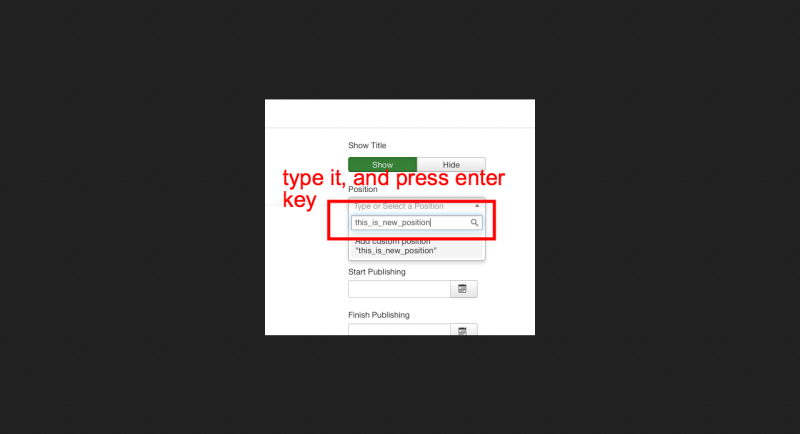
if the module position not exist at that select box, you need to manually enter that module position into "search box" at that select box and press enter key at keyboard.