Support Forum
New T3 v2.5.2 framework update + Joomla! v3.4.6 + JFBconnect/SClogin

Hey,
So the other day when logging into the back-end of my Joomla! website I saw 5 updates.
New Joomla! v3.4.6, New T3 framework, and JFBconnect + SClogin component.
I updated JFBconnect + SClogin no problem and then tried to update the new T3 framework version and got an error about compatablity so I figured it was an update to go along with new Joomla! update.
I made a backup of my site before updating to new Joomla! version and after updating to new Joomla! version the new T3 framework still didn't update properly :(
I also noticed a problem with default login and logout redirects :(
After updating to new Joomla! version successful login redirects would bring you to not even user profile page, but a page where you can edit your email + pw and default time zone language etc.
Obviously I do not want that to happen so I quicky did a restore of site to previous state before updating to new Joomla! core and was just wondering why this was happening on my site.
I tried going to the JomSocial Configuration Site settings and re-saving the settings of where successful login/logouts would redirect you to and have it set to front page for both cases so I am not sure what the problem is :(
Any ideas as to why this was happening?
Do I need to wait for a new JomSocial release to be fully compatible with new Joomla! update???
Thanks,
Alex
Hi,
about login redirect issue. here the fix:
www.jomsocial.com/forum/profile-universa...omla-to-3-4-6#150436
joomla changed some code. so far only this issue we got about latest joomla version (3.4.6)
about T3, please try to uninstall it first. after that install the new one.
Regards
Hey again,
Besides the T3 issue (also having trouble updating to new version of JA Advanced Custom Module) the hot fix for login redirect did not work :(
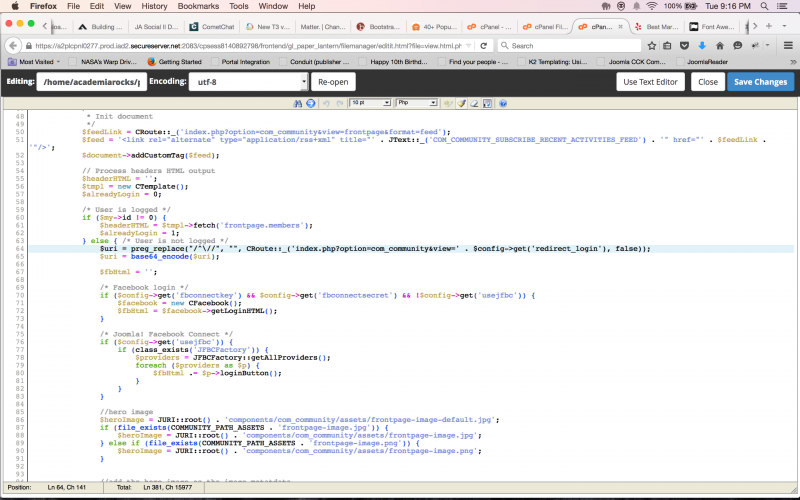
I went into my hosting and changed line 64 to the new line you provided in that other thread and am still having the same issue :(
Would you care to take a look?
Dimas was also going to look into hacking the happy mood ID for me which was a problem I just recently had as well.
Do either of you care to kill two birds with one stone?
How should I send you guys my cpanel/ftp account access?
Thanks.
Here's a screen shot of me editing and saving the new line of code just in case you don't believe me :P
I also cleared my browser cache as well as the cache in the back-end of my Joomla! website.
Also, I tested the login redirect on multiple different browsers and even on a different device and my smartphone and am still getting the same problem :(
Were you guys able to actually test it out and get it to work properly?
Thanks.
Also, I am not using the FB connect button to login I am simply trying to login with different user credentials so I'm not sure what the problem could be.
Don't worry about the happy mood ID thing for now, but sounds good I'll edit my first post and provide those further cpanel ftp details.
Thank You.
Also, while you're poking around with my website do you have any idea as to why there is blank white space at the bottom of my website?
Before putting copyright information as a custom html module into the footer position I had the copyright information entered into the template custom code area within the template manager at the very bottom like a noob.
I noticed when not logged in there is no white space at the very bottom because comet chat component is not active, but upon login and comet chat popping up there is white space between the chat toolbar and the red bottom header area.
Comet Chat was installed and configured before getting rid of the copyright information in the custom code area within template manager so I am wondering if uninstalling and reinstalling comet chat would fix the problem or not.
What do you guys think???
Thanks!
Hi,
please check it, not sure why the fix not working at your site. so I changing it to
$uri = 'index.php?option=com_community&view=' . $config->get('redirect_login');and at /modules/mod_community_toolbar/tmpl/default.php at line 11
from
$uri = CRoute::_('index.php?option=com_community' , false );$uri = 'index.php?option=com_community';and about white space at the bottom of page, that because CSS from cometchat it self
body {
  padding-bottom: 30px;
}is got any issue. please open new topic.
Regards
Thank you so much!
Yes it is working properly and I see the changes that you made, thank you :)
As for the padding in cometchat, if I were to get rid of that code would the white space disappear?
Does it need to be there?
And I tried looking into that file directory you just mentioned and don't see that code there :(
Want to help me locate it? :)
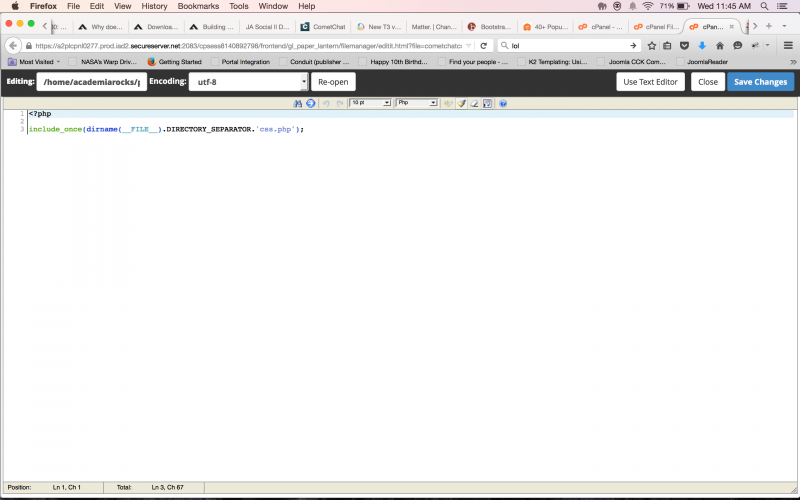
Here is a screen shot of what is in that file.
Thank you for your time!