Welcome the Technical Support section. Help us in assisting you by providing us with a concise and descriptive elaboration of your issues. Be specific and if possible, provide us with a step-by-step instruction in replicating your problem.
Setting profile image upload to mandatory with the JomSocial core hack

Hi i followed, the steps, but it does not work since im getting a blank page.
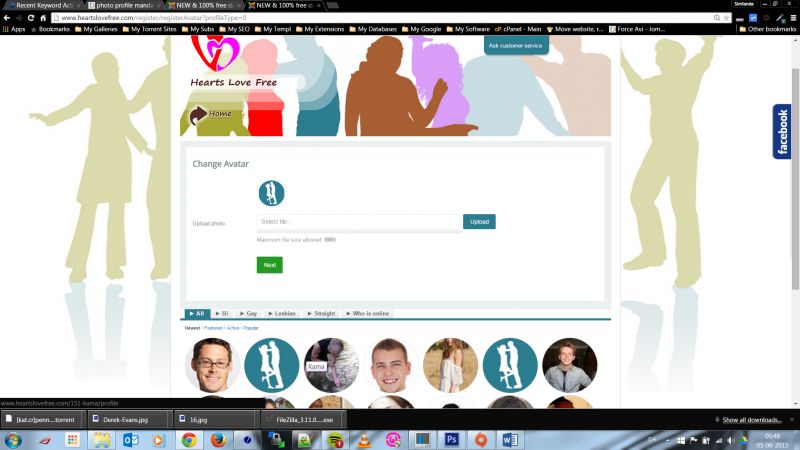
Also i have attached a screen shot without the edited avatar.php, and as you can see there is no "SKIP" button! Meaning users can just press next without uploading an image and still create an account. Not cool, since its a dating site where members must see each other!
This attachment is hidden for guests. Please log in or register to see it.
unzip this files and put it at:
[joomla site root]/templates/protostar/html/com_community/layouts/register/
create the location if not exist yet. if you want revert back to original, you can delete the file under [joomla site root]/templates/protostar/html/com_community/layouts/register/
to make avatar mandatory, I removed that "skip" button, after avatar uploaded the "next" will be appeared.
if still not works, maybe the issue related with CookiesAccept module
Regards
This message has an attachment file. Please log in or register to see it.