Support Forum
Upgrade from 4.0.3 to 4.0.5 STUCK !!
-

Topic Author - Chris Walters
- Offline
- Fresh Boarder
- Posts: 36
- Thank you received: 2
Licenses:
JomSocial Active
ISSUE SUMMARY:
I'm trying to upgrade from 4.0.3 to 4.0.5 and the upgrade process gets stuck endlessly on the screen that was "Install table Schema" and ends with "Updating theme". All tasks except for "Updating theme" are marked as done and the upgrade process seems to get stuck on that step in the process endlessly
STEPS TO REPLICATE:
1
2
3
4
5
RESULT
EXPECTED RESULT
BROWSER

Hi Chris,
Here the error message, when the installer executing this URL:
http://[site domain]/mysrp/administrator/index.php?option=com_community&view=installer&task=ajax_prepdatabase&stage=scssupdate
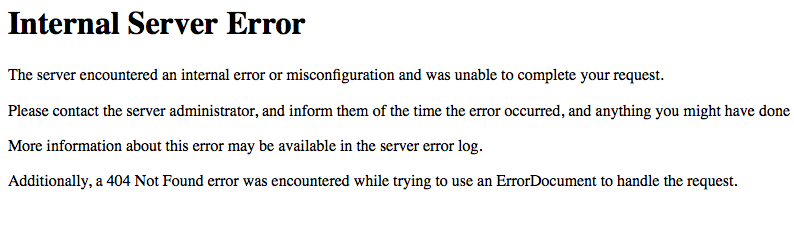
please have a look at server error logs related "Internal Server Error", you can asking your server support how to find that error logs.
from that error log, we can find it what the problem is.
Regards
-
Topic Author - Chris Walters
- Offline
- Fresh Boarder
- Posts: 36
- Thank you received: 2
Licenses:
JomSocial ActiveIs there a way to see the details of these errors on the Joomla backend ? I need more direction on how to find the details of these errors.
Hi Chris,
please download the file from:
www.jomsocial.com/forum/installation/261...pdating-theme#128494
unzip it, and put theme.php to [joomla site root]/components/com_community/tables/
let me know the result.
Regards
-
Topic Author - Chris Walters
- Offline
- Fresh Boarder
- Posts: 36
- Thank you received: 2
Licenses:
JomSocial ActiveI replaced the theme.php file as you directed and the install is still stuck on the www.mysoulrebel.com/mysrp/administrator/...er&task=prepdatabase step as was the case all along.
Hi Chris,
the error message at browser, internal server error.
could you please asking your server support about the error log detail. every server must be logged that error detail.
I must know the error detail to tackle this issue.
Regards
-
Topic Author - Chris Walters
- Offline
- Fresh Boarder
- Posts: 36
- Thank you received: 2
Licenses:
JomSocial ActiveMy hosting provider 1and1.com said that they are unable to provide the details of the Internal Server Error. What other options do we have for resolving this ? Is there anyway you can provide me with a debug version of the file that is being executed when that error is thrown that outputs a lot of debug messages that could help us find a potential cause of this error ? I don't believe my hosting company will be very helpful in providing logs so if there is anything that we can do code wise or Joomla configuration wise to help troubleshoot this, I would rather pursue that option because it will be faster.
Hi Chris,
its strange if provider said like that. joomla or PHP debug mode will not working to catch the error detail. because the server side blocked it already with internal server error (500)
internal server error can from many things. server it self, php configuration, any php script that not allowed by server.
I tried many possibilities but still cant. try to put FTP setting at joomla configuration > server
Regards
-
Topic Author - Chris Walters
- Offline
- Fresh Boarder
- Posts: 36
- Thank you received: 2
Licenses:
JomSocial ActiveI tried adjusting the max_execution_time, max_input_time, and memory_limit as you suggested and it had bad no difference. Also, I am not sure what you mean my make sure your server supports "file_put_contents". How do I do that ?
-
Topic Author - Chris Walters
- Offline
- Fresh Boarder
- Posts: 36
- Thank you received: 2
Licenses:
JomSocial ActiveAre there a sequence of steps that you can manually direct me through in order to do what is happening in the "Updating Theme" step where this process fails ? If it is a matter of copying certain files to certain locations and modifying something in the database then please direct me how to do that because I'm stuck and this causing me a quite a headache. Thanks.
Hi Chris,
please check it. the issue with server permission it self. cant write or rewrite a file.
please try to reset files and directories permission to default at your server, you can asking your server support for that.
here the steps that I did:
1. edit /administrator/components/com_community/controllers/installer.php
2. at line 477 and 480, I comment out this code
CommunityThemeHelper::parseScss($colorSettings, 'colors');
CommunityThemeHelper::parseScss($generalSettings, 'general');
that code for rewrite the scss files for jomsocial. with turn off that file rewrite, the instalation has been succeed.
now you can access jomsocial backend.
Regards
-
Topic Author - Chris Walters
- Offline
- Fresh Boarder
- Posts: 36
- Thank you received: 2
Licenses:
JomSocial ActiveSo will I have this problem in future installation upgrades ? What do I need to do in order for this not to be a problem in the future when I have to upgrade to the latest version ?
Hi Chris,
you need to fix permission issue at your server. I saw some files having permission code 604, the default permission must 644.
you must contact your server support to reset files and folders permission to 644 and 755
if not, any upgrade process will always stuck.
the error message was very clear, internal server error (500). the issue must be at server side.
Regards