Support Forum
Facebook Connect - "Given URL is not allowed ..."

Hi everybody,
I am getting mad by this error-message when trying a fb-login:
Given URL is not allowed by the Application configuration.: One or more of the given URLs is not allowed by the App's settings. It must match the Website URL or Canvas URL, or the domain must be a subdomain of one of the App's domains.
I did find some similar questions in the forum, but no solution.
The App-Settings are checked multiple times, I also deleted the app and recreated it.
Nothing works.
Any Ideas?
All the best, Julian!
Hi Julian,
that because your facebook APP configuration not correct. please goto facabook developer to setup it
stackoverflow.com/questions/20690174/fac...cation-configuration
stackoverflow.com/questions/19098952/giv...cebook-application-e
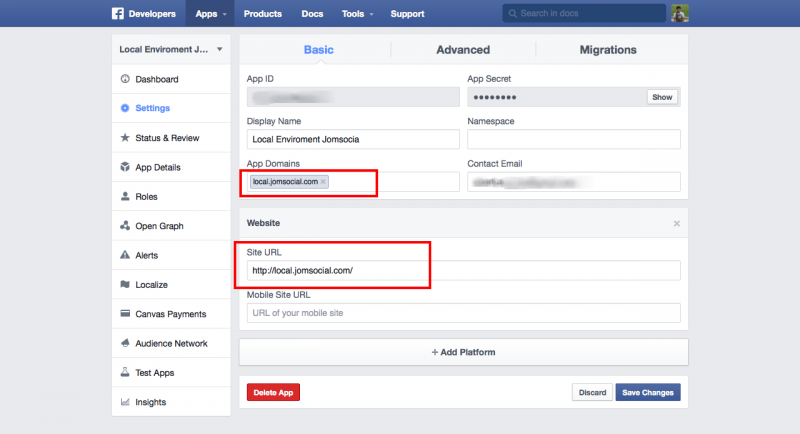
make sure you put your site URL:
Regards,
Albert

Hi Julian,
your issue related with Facebbok API setup. not with Jomsocial.
here the official topic at facebook support:
www.facebook.com/help/community/question/?id=542958419109491
please try:
1. remove www from the URL
2. remove mobile site
3. put contact email
if still can, try to delete the app and recreate again.
Regards
Albert
Hi Albertus,
your issue related with Facebbok API setup. not with Jomsocial.
It is common that JomSocial- and iJoomla-Support always advice to other developers.
However, in more then the half of the bugs I have found it was a bug in the JomSocial- or iJoomla-Code, so hopefully you understand that I am not a big believer in the common term "it´s the others problem".
In addition to that, most other developers are very kind in looking for bugs and also ofthen helped me with Bugs in JomSocial.
In this particular case, the exact same settings work with all other Facebook-Connections. The settings work with JFB-Connect, they work with the StackIdeas-Extensions and with others.
So I kindly ask you to support me with that stuff, that is obviously connected to JomSocial.
I already deleted and recreated the app and I also removed the www, the mobile-site-url and I filled the support-eMail. As you might know, Facebook usually gives an error-message in the developers-gate if some of this stuff is not correct, but anyway, I have tested it the way you told me.
Still not working ...
All the best, Julian!
Hi Albert,
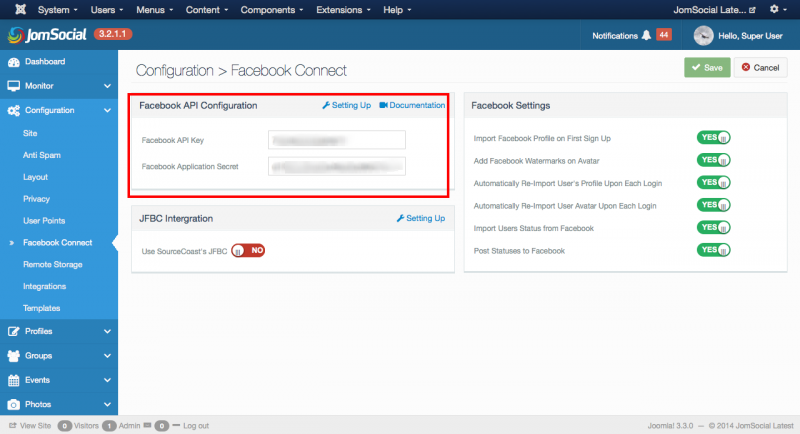
the API and the Secret are in. I have tested it multiple times, they are correct.
There is one more thing that is very weired. In one out of 10 cases it works.
I was testing around by placing a https-URL in the App-Settings, it worked one single time, since then it does not work anymore.
I had this behaviour some times in the last days. It´s like once a day it works ... but only for one time, and then it gives the error-message again.
All the best, Julian!
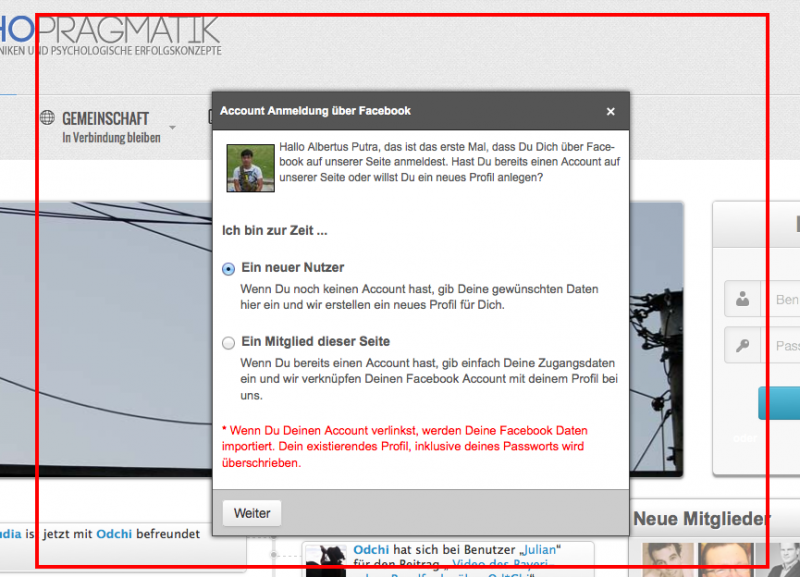
It is very weired:
It "sometimes" work and sometimes it doesn´t.
To be precise in the facebook-policies, I am not allowed to have a second account. So I guess, it must work with the account of the app-owner also. And ... it works sometimes. And sometimes don´t.
I am getting this error-message also when I am not logged in facebook. So it can´t only be because of the app-owner.
I tried it with all three major-browsers.
Can you try it once again?
Just to see if it is permanently working for you or only once?
All the best, Julian!
PS: In your documentation you missed to point out that the app needs to be published.
Hi Albertus,
I posted it at facebook and asked my friends to test it out.
The result:
2x "it works"
5x "Given URL is not allowed ..."
On my personal PC:
On one browser it works, on two others it doesn´t.
What can I do?
All the best, Julian!
Hi Julian,
now I can't login using FB. seem your FB app not Approved by FB yet. are you already did it?
for ref:
developers.facebook.com/docs/apps/review
if already Approved from FB review process, and still can't login via FB. I need full access to instigate more deeper. I need your FB login and administrator access detail.
Regards,
Albert