Support Forum
Viewing Albums
Dear Supporter
I have installed two languages: English, Persian.
After viewing pictures in an album and hitting "view album" tab I am referred to main stream in English Language but when I am in Persian Language it is OK and I am referred to the related album.
Can you check it please?
Regards
Nabi
-

- Dimas
- Visitor
- Thank you received: 0
Licenses:
Hi,
There is some changes on Jomsocial translation, so you need update your persian language for 4.1
thank you
Dear Dimas
Thanks for your email but:
- I do not have any issue with the language, although I surfed that web site and there were a lot of files for my Persian language. How can I copy all together?
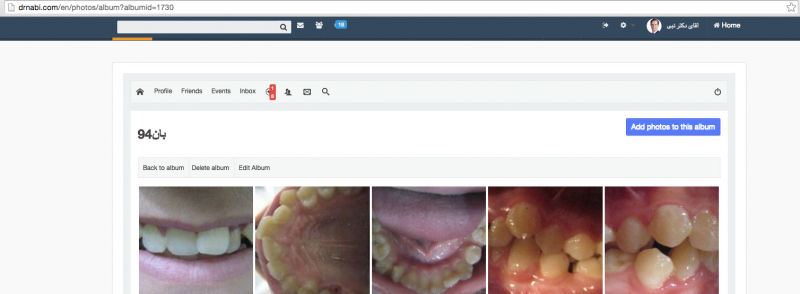
- My most important problem arises when I am in my English language. While I am in Eng. mode and viewing the album photos, then hitting the "view album" button, I would not be directed to "Album"; I will be directed to the "streamline".
-
- Dimas
- Visitor
- Thank you received: 0
Licenses:
eh, sorry.. I dont understand.. please explain more...
Dear Dimas
At the end of the menu there is a language switcher, please select to En.
Then click on one album to see the photos. After watching a some photos, click on "view album" to go back one step to the same album but you will be directed to streamline
regards
Nabi
-
- Dimas
- Visitor
- Thank you received: 0
Licenses:

-
- Dimas
- Visitor
- Thank you received: 0
Licenses:
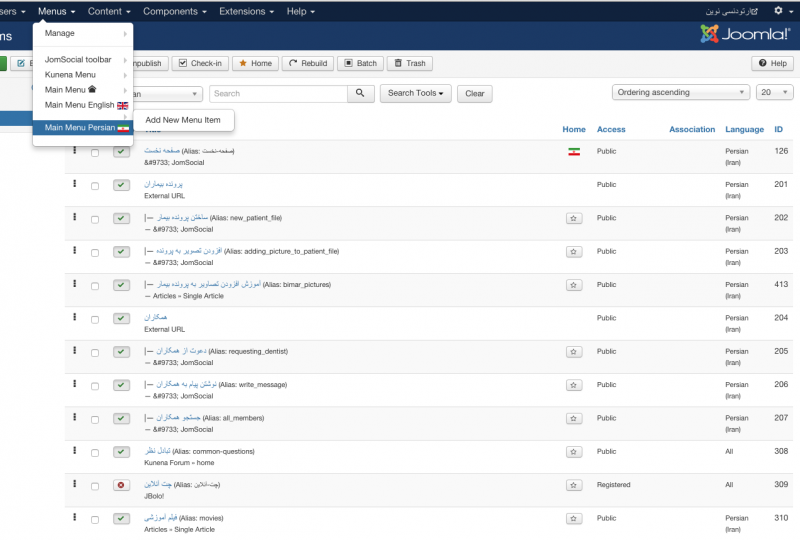
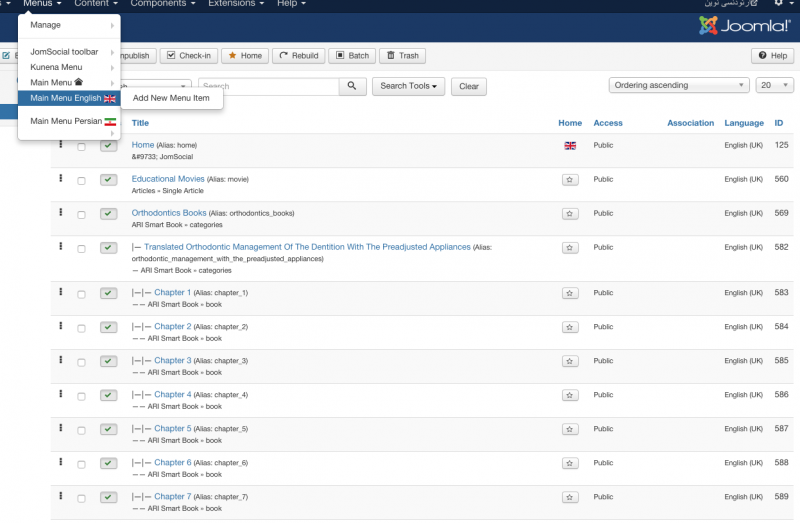
I see, this issue caused by menu itemID 202, which that menu is child from itemID 201 external URL, you should change it, and make that itemID 202 is not a child menu from another menu, make its as parent menu..
Dear Dimas
Menu Item 202 is a child of 201 which are both in Main Persian Menu. they work correctly. I have problem with those menu in Main English Menu. First I sent it to the root but the error still exists. I unpublished both these menu in both Main English/Persian menu, but the error still exists.
regards
Nabi
Dear Dimas
I unpublished them and refreshed the pages but the problem still existed. Now I see that it has been fixed WOW.
I published the menu both in Persian and English as a child menu, it works. I needed to unpublished and publish it again to work, how amazing it was.
Anyway, thanks for your reply.
Can you let me know which persian language file I should modify (override) for just some words?
Regards
Nabi
Dear Dimas
I published the menu and several times I refreshed the pages and it was OK. After a few minutes I faced the same problem again. I unpublished the menu again but no difference.
Regards
Nabi
-
- Dimas
- Visitor
- Thank you received: 0
Licenses:
Hi Nabi,
I am not sure why, maybe it cache but please you unpublish the menu, there is some conflicts with it..
You should contact the persian Jomsocial in transifex team to fix the language issue
www.transifex.com/jomsocial/jomsocial/
thank you
Dear Dimas
It is the 2nd day that I have set Main Menu Persian/English to unpublished again but it still is directed to stream line not to the album, I also had opened another ticket for getting email notification after upgrading while there is cronjob set which I have not received any update yet. Is there any relationship between these two?