Notice

The forum is in read only mode.

Support Forum

Welcome! Support Forums have been reactivated
Welcome the Technical Support section. Help us in assisting you by providing us with a concise and descriptive elaboration of your issues. Be specific and if possible, provide us with a step-by-step instruction in replicating your problem.

module js photo module does not work

11 years 6 months ago
  • Dimas's Avatar
  • Dimas
  • Visitor
  • Thank you received: 0
Licenses:

Hi Geatano,

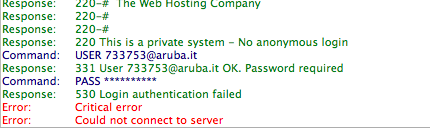
Your FTP is not working..


yes, jomsocial has tag photo feature as well :)

Attachments:
11 years 5 months ago
  • Gaetano's Avatar
    Topic Author
  • Gaetano
  • Offline
  • Fresh Boarder
  • Posts: 5
  • Thank you received: 0
Licenses:
JomSocial Expired

hello, I installed version 4.0.5 and I activated the module photo, unfortunately does not work

Attachments:
11 years 5 months ago
  • Dimas's Avatar
  • Dimas
  • Visitor
  • Thank you received: 0
Licenses:

Now I cant connect to your backend and FTP access, can you check it please? I will re-check the code directly.

thank you

11 years 5 months ago
  • Gaetano's Avatar
    Topic Author
  • Gaetano
  • Offline
  • Fresh Boarder
  • Posts: 5
  • Thank you received: 0
Licenses:
JomSocial Expired

Hello, with Aruba you must allow your code ip working on the control panel:
admin.aruba.it/PannelloAdmin/login.aspx

Edit the first post and insert data

Attachments:
11 years 5 months ago
  • Dimas's Avatar
  • Dimas
  • Visitor
  • Thank you received: 0
Licenses:

I already added my IP address on the whitelistftp , but still not working.. ok.. is it ok if I install explorer on your Joomla ?

11 years 5 months ago
  • Gaetano's Avatar
    Topic Author
  • Gaetano
  • Offline
  • Fresh Boarder
  • Posts: 5
  • Thank you received: 0
Licenses:
JomSocial Expired

Ok

11 years 5 months ago
  • Dimas's Avatar
  • Dimas
  • Visitor
  • Thank you received: 0
Licenses:

Hi,

I see, you are still using jomsocial version 4.0.3, can you update it to version 4.0.5,please? or its ok if I update by myself?

Update : ignore it I think I checked your dev site..

11 years 5 months ago
  • Dimas's Avatar
  • Dimas
  • Visitor
  • Thank you received: 0
Licenses:

well, I tried login to your backend here www.zumbaparty.it/administrator/index.php and the login failed, but works for this one www.zumbaparty.it/socialnetwork/administrator , please advise..

11 years 5 months ago
  • Gaetano's Avatar
    Topic Author
  • Gaetano
  • Offline
  • Fresh Boarder
  • Posts: 5
  • Thank you received: 0
Licenses:
JomSocial Expired

ciao, that has become a test site, the public site is:
www.zumbaparty.it/social/index.php/jomsocial
panel administration is :
www.zumbaparty.it/social/administrator
i have redirect from www.zumbaparty.it ,here is the version 4.0.5
grazie
11 years 5 months ago
  • Dimas's Avatar
  • Dimas
  • Visitor
  • Thank you received: 0
Licenses:

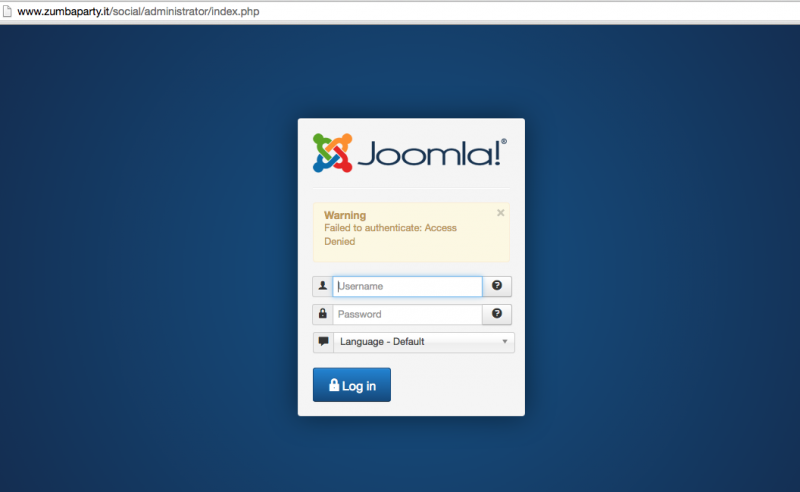
tried to login, and this is what I get

Attachments:
11 years 5 months ago
  • Gaetano's Avatar
    Topic Author
  • Gaetano
  • Offline
  • Fresh Boarder
  • Posts: 5
  • Thank you received: 0
Licenses:
JomSocial Expired

l'm sorry, look first post, there is new admin username

11 years 5 months ago
  • Dimas's Avatar
  • Dimas
  • Visitor
  • Thank you received: 0
Licenses:

still.. I cant access your FTP even i tried to use extplorer :)

well,you fix this issue by yourself, open this file modules/mod_community_photos/mod_community_photos.php, find this code :

$latestPhotos = $model->getAllPhotos(null, PHOTOS_USER_TYPE, $default, 0, COMMUNITY_ORDER_BY_DESC,
        COMMUNITY_ORDERING_BY_CREATED);

replace to :
$latestPhotos = $model->getAllPhotos(null, PHOTOS_USER_TYPE, $default, 10, COMMUNITY_ORDER_BY_DESC,
        COMMUNITY_ORDERING_BY_CREATED);

11 years 5 months ago
  • Gaetano's Avatar
    Topic Author
  • Gaetano
  • Offline
  • Fresh Boarder
  • Posts: 5
  • Thank you received: 0
Licenses:
JomSocial Expired

ok, in the photo you see the result, I would like to add a photo below and delete the space on the right, thanks

Attachments:
11 years 5 months ago
  • Dimas's Avatar
  • Dimas
  • Visitor
  • Thank you received: 0
Licenses:

open this file social/components/com_community/templates/jomsocial/assets/css/style.css,

.joms-list--thumbnail .joms-list__item {
    float: left;
    width: 25%;
    padding: 2px; }
replace to :
.joms-list--thumbnail .joms-list__item {
  float: left;
  width: 31%;
  padding: 2px;
}

Moderators: Piotr Garasiński
Powered by Kunena Forum

Join 180,000 websites creating Amazing communities

JomSocial is the most complete, easy-to-use addon that turns Joomla CMS into a
full -fledged, social networking site

TRY NOW BUY NOW